
If you’ve ever used a SIP client on a smartphone, you’re probably familiar with all the intricacies of the experience… And the first and perhaps most annoying thing is the constant background operation, without which incoming calls won’t work. In this article, I’ll tell you about a «magical» softphone that’s unlike any other… Let’s get started!
If you’re not interested in my lyrics, you can skip this part and get to the point. ;)
The battery drain caused by background mode is understandable. And some softphones offer a solution: connecting your SIP account through their server. Well, sort of… Firstly, their servers are usually located somewhere in Europe, and routing voice through them is not at all convenient, not to mention unsafe and not always possible. Specifically, SIP traffic is simply not allowed outside of Uzbekistan (or even allowed in), so using a foreign server is simply unviable.
Another option is to take the source code of an open SIP client (for example, linphone) and embed your Firebase account there.
And then another question arises: How do I send FCM notifications? I tried implementing this using Asterisk, but I ran into the most idiotic problem. A call comes in, the push notification script runs, but the problem is that now the call has to be held somehow until the SIP client recovers and connects to the server, and only then can I send the INVITE. At this point, I was completely stuck. Next, I tried installing some ancient SIP proxy that supposedly supports push notifications, but the source code was incredibly outdated, with some dependencies wiped clean, and it simply wouldn’t compile. I gave up and decided to give up on it completely, until one day…
Development
One day, I renewed my Cursor subscription and started thinking about what I really wanted to write but couldn’t, due to the lack of a programming module in my head. :) I remembered those same dances with a tambourine, how I was indignant that SIP couldn’t handle calls like any other messenger. And then I thought, why not build my own softphone that would work using a protocol similar to messengers, getting rid of all the downsides of SIP? Having put together a rough project plan in my head, I poked the cursor prompt, and this is what came out.
Project website address s2g.uz.
SIP2GO gateway
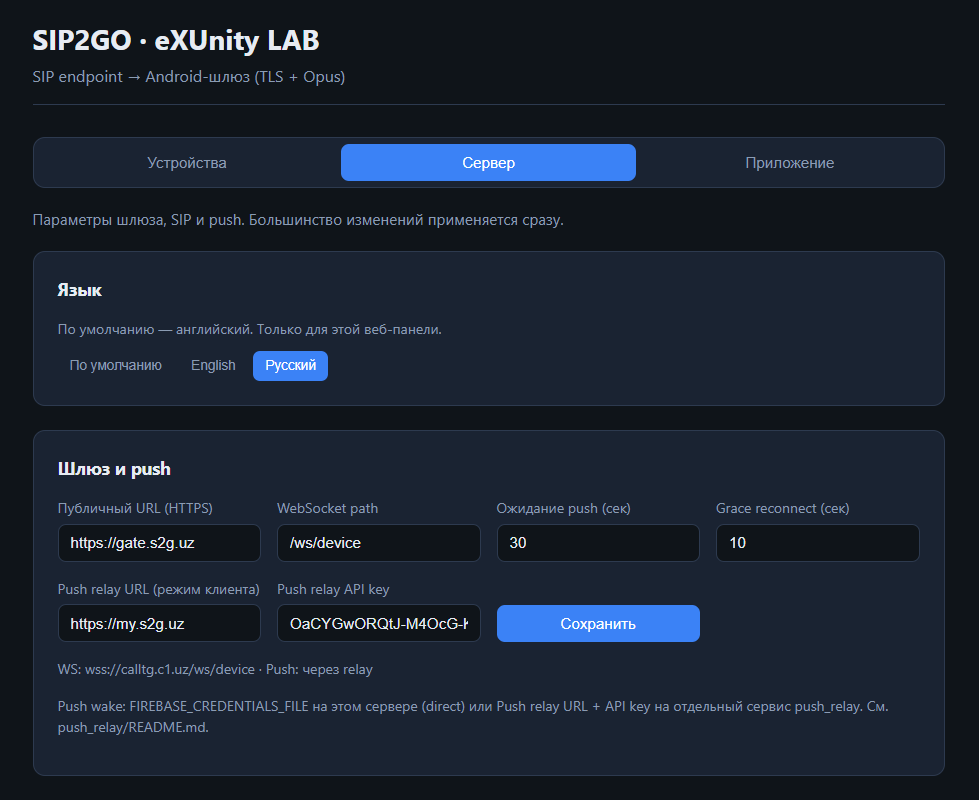
This is the server component that sits between the SIP server (in my case, FreePBX) and the client (a softphone). It connects to the SIP server like a regular endpoint or trunk and converts SIP to TLS transport via a websocket.
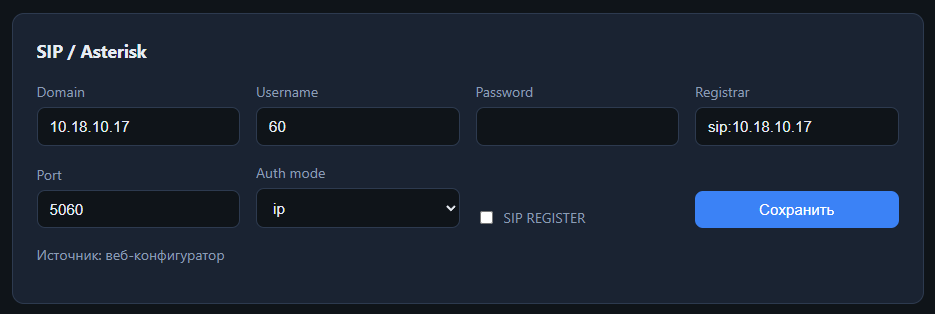
The gateway takes control of the call and sends 180 Ringing to the SIP server, attempting to wake up its client. Then, everything proceeds as with a regular SIP, only over WSS. If the gateway doesn’t have such a subscriber, the call is simply rejected.
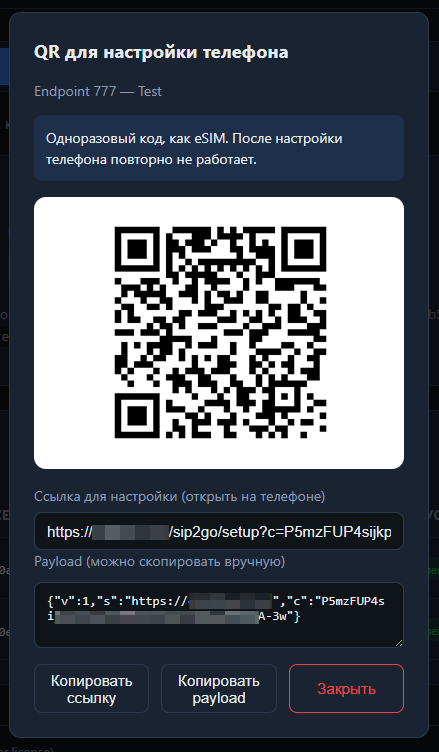
The gateway is configured through a web interface, the password for which is specified in .env. There, clients can be added by generating a special auto-configuration link or registration QR code for them. This process is similar to eSIM activation.
Another nice feature of this solution is the ability to work with a private SIP server without exposing it to the world. Only the gateway itself will require a public address, and your server will be protected from external threats, just as if it were running an SBC.
Sip2go softphone
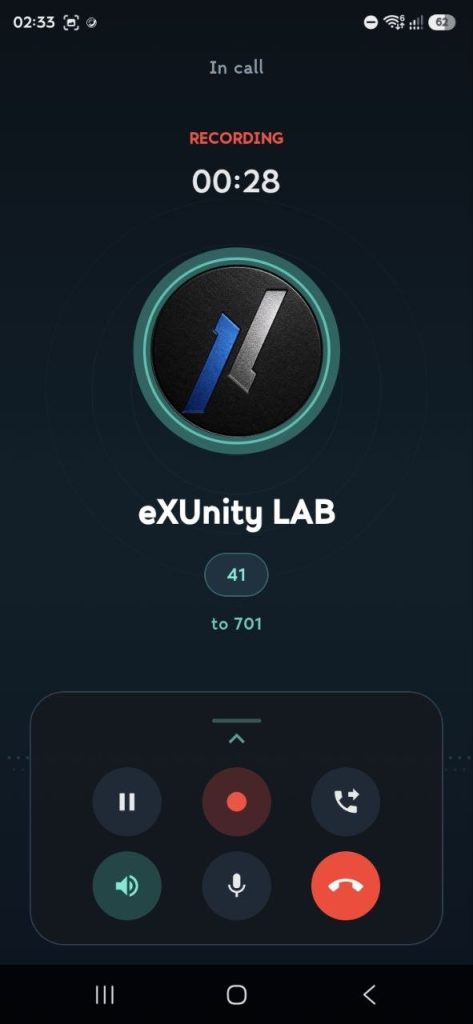
A smartphone client app (currently only available on Android) that communicates with the server using a proprietary protocol. It works similarly to most softphones, but supports push notifications out of the box and can reconnect when switching networks or during temporary network outages. The app can also record conversations directly to your smartphone. Recordings can be accessed from the call history.
Quick setup via a link or QR code scanning greatly simplifies the task of adding employees to the telephone network in corporate use cases. For example, explaining to an accountant how to set up a SIP client can sometimes be a difficult task. ;)
A nuance…
You can download the app from Google Play, but it already has my Firebase built in, so setting up direct Push messaging won’t be possible. For this purpose, I’ve included the option to use FCM through my proprietary push relay service, but it’s not free, of course. :) Otherwise, you’ll have to build the app yourself and embed your own Firebase keys. I’ll offer a subscription for the lazy. ;)