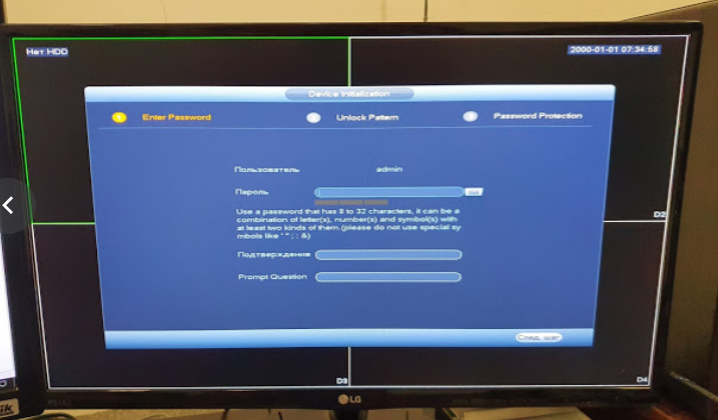
Today I stumbled across a four-channel Dahua DHI- NVR2104 — S2 DVR. I bought it second-hand and completely forgot to ask the previous owner for the password. As it turned out, the owner himself didn’t remember the password. As it turns out, there is a way to reset the settings manually.
We disassemble the device and find a connector for UART connection on the board.
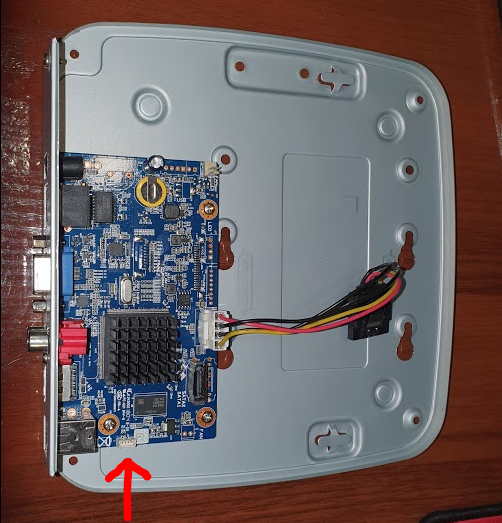
If you’re lucky enough to have a connector for this socket, I’m thrilled for you. I had to pick up a soldering iron. ;)
The whole point of writing this article was to provide the connector pinout, which I couldn’t find online and had to glean from trial and error.

If you’re also going to use a soldering iron, you should only solder the RX and TX pins. Ground is easier to connect to any round screw, and power isn’t needed at all.
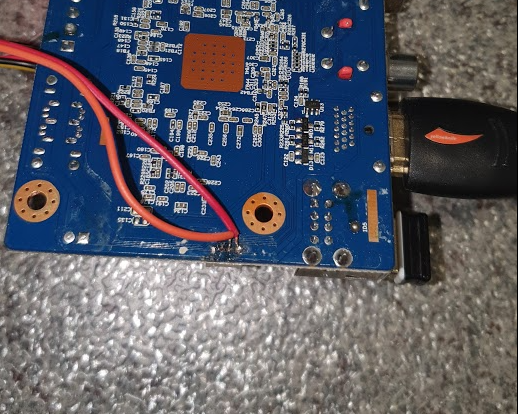
Now, take any uart adapter, and connect RX to TX, and TX to RX.
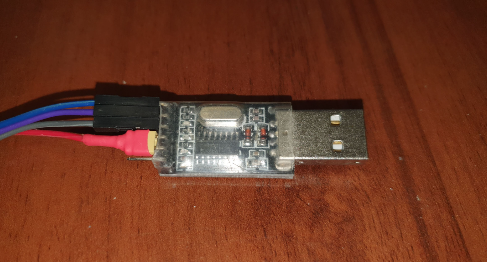
Launch the software to connect to the terminal, set the speed to 115200 and disable flow control.
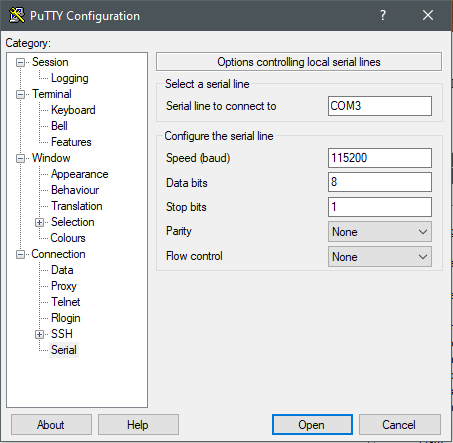
Now that everything is connected, you can plug the device into a power outlet, after which the boot process will begin in the terminal window.
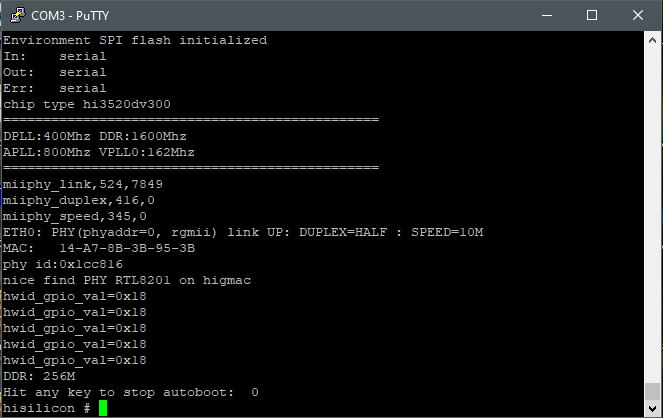
As soon as the message «Hit any key to stop autoboot» appears, press the asterisk * (several times).
Next, use the eracfg command to reset the device to factory settings.

After the reset, the device will reboot and prompt you to configure itself. The end. :)