
This article will present working, tested SIP trunk configurations from Uzbek operators. Unfortunately, almost none of them provide any instructions, so you have to figure it out yourself. I got some of these configurations from colleagues, and others I came up with myself. I’m sure they’ll save someone time and effort.
Setting up a Sarkor Telecom SIP trunk
Sarkor’s telephony is provided via Tasix, which is both a huge advantage and introduces some adjustments to the configuration typically used for NAT-free connections.
Create a new trunk

Peer details:
host=sip.uz
context=from-trunk
insecure=port,invite
type=peer
username=122XXXX
defaultuser=122XXXX
secret=[пароль из раздела услуги в кабинете]
fromuser=122XXXX
port=5060
fromdomain=sip.uz
nat=auto_force_rport,auto_comedia
At the time of writing, I only know of the prefix 122, so I’ve included it in the template as is. Regardless, the number is listed without the 78 code.
For Incoming (incoming) only the registration line is specified:
122XXXX:пароль@sip.uz/122XXXX
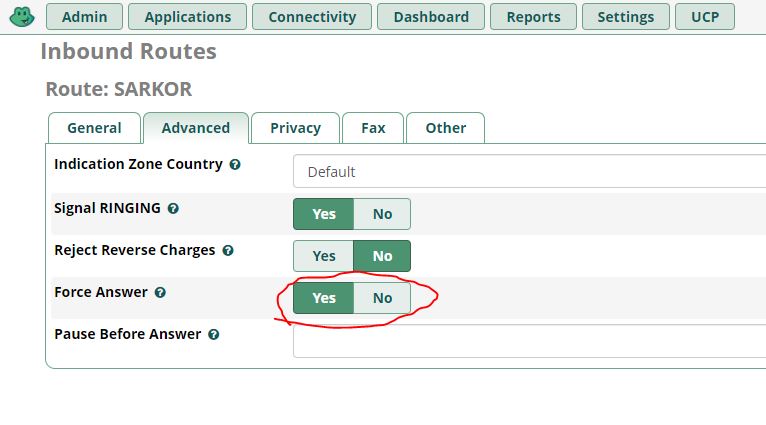
Unfortunately, Sarkor doesn’t currently support Early Media. For this reason, I had to enable Force Answer in the incoming route so that callers would hear my PBX greeting instead of the dial tone.
Setting up SIP trunk UZTELECOM
This provider provides trunking via their own routed transport. In some cases, it’s even provided as a tagged VLAN. Rumor has it that someone was offered the option to connect via Tasix, but I was denied that opportunity. Actually, that’s the same reason I decided to change providers. ;)
Before you start setting up, you need to get the following information from your operator (and with Uztelecom this is quite difficult): Number (enter with or without a code?), your IP, your gateway, softswitch (server) address and possibly VLAN (in particular, if the connection is made via GPON).
If you need caller ID (and who doesn’t?), you need to specifically notify us of your intention to activate it. It’s not included in the service, and you’re never warned about it when you activate it.
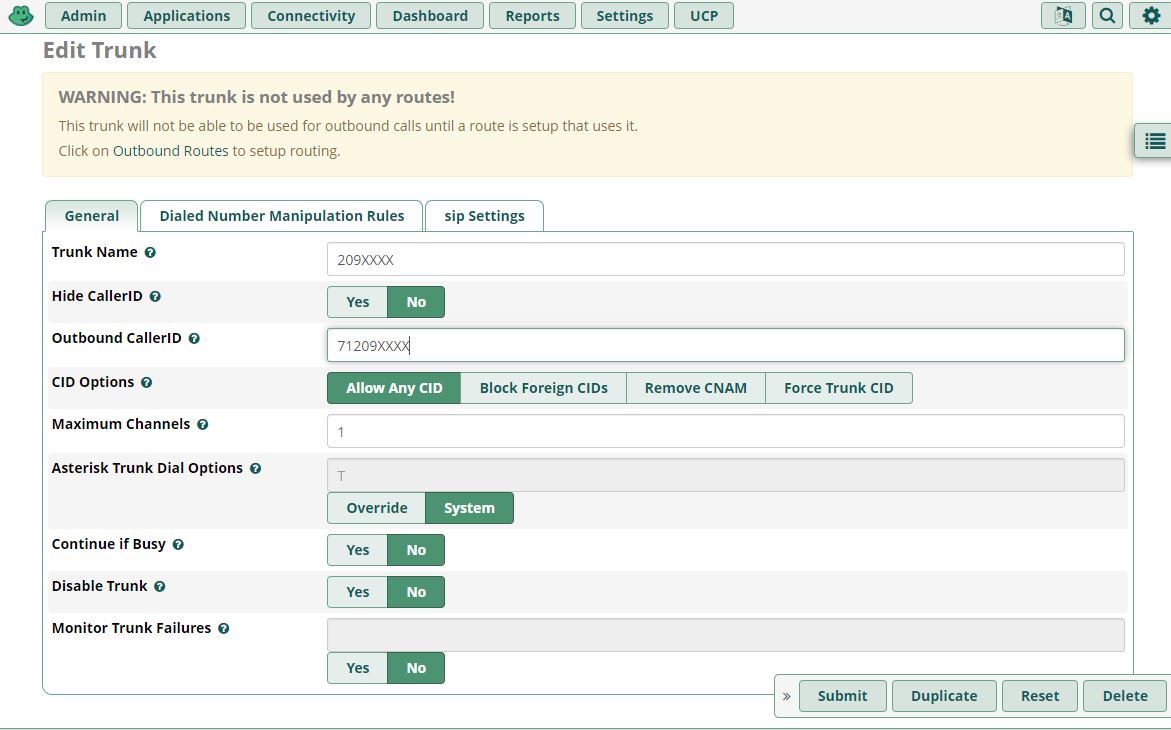
It’s also worth noting that Uztelecom may provide service to different clients through different softswitches. Therefore, this configuration may not work in all cases. However, it works for me for several corporate clients, with the only difference being the number (with or without the area code). So, let’s add the trunk:
type=friend
port=5060
username=XXXXXXX
secret=XXXXXXX
fromuser=XXXXXXX
insecure=port,invite
host=[адрес сервера]
fromdomain= [адрес сервера]
context=from-trunk
disallow=all
allow=alaw&ulaw
Warning! Depending on your smartphone switch, you may need to enter your number with or without a code. The most ridiculous thing about this situation is that tech support often can’t tell you exactly how this should work in your specific case. So, you can try it this way and that until it works. ;)
It’s a similar story with incoming messages:
ВАШ_НОМЕР:ПАРОЛЬ(обычно тоже номер)@адрес софтсвитча/НОМЕР
But there is another pitfall that I stepped on when connecting to UZTELECOM telephony.
Apparently, their employees are confident that you’ll use their gateway as the default, and then, of course, the trunk will work properly. But a fair question arises: how then do you update the server? In my case, a naive attempt to configure only the route to the SIP server through their gateway resulted in the RTP connections failing. It turned out that proper operation requires routing to all subnets, across which nodes are scattered like washed socks. And their subnets are scattered across the most unexpected ranges. I had to find a clever way around this, specifying the following routes:
10.0.0.0/8 via [gateway ip] dev eth1
172.16.0.0/15 via [gateway ip] dev eth1
192.168.0.0/16 via [gateway ip] dev eth1
However, for some corporate clients, simply specifying the route to the server was sufficient. Again, tech support is unlikely to offer any advice, so check the sound when calling other prefixes before closing the console. ;)
All I can do is hope that my home network’s range doesn’t overlap with any of their PBXs, otherwise I won’t be able to talk to subscribers on it. ;) I wasn’t able to get any precise information about which networks they use.
Setting up a SIP trunk EAST TELECOM
Connecting via a routed dedicated backhaul. If they suggest using a VLAN over LTE, it’s best not to agree. Experience has shown that this setup works horribly.
Similar to the previous templates, we enter the following:
host=[адрес сервера]
type=friend
dtmfmode=auto
disallow=all
allow=ulaw&alaw
insecure=no
port=5060
context=from-trunk
qualify=yes
fromdomain= [адрес сервера]
fromuser = [номер без кода]
in the incoming registration line:
[номер без кода]@[адрес сервера]/[номер без кода]
Routing is only needed to the SIP server. Everything else goes through it.
That’s all for now. :) Perhaps the article will be supplemented with new templates.