
The phrase «home server» baffles some people. «Why even bother?» Well, let’s say it’s cool! Isn’t that an argument? :) This article is for those who don’t need an explanation. I’m simply sharing my experience in chronological order.
Autobiographical Prologue
My adventures in the IT world began around 2002, with a childhood fascination with IRC chats.
While some guys were content simply chatting or creating private rooms on public servers, I personally craved absolute power. For this reason, I wanted a whole dedicated IRC server, complete with blackjack and services, so to speak. Times were tough, internet was outrageously expensive, and VDS hosting was simply an unattainable dream for a guy without a job. But, hey, there are good people in the world!
Then one day, while casually chatting in a group chat, I learned that there was a kind man among us who had long ago moved to the United States. Since internet and uninterrupted power are quite common for US citizens, this kind man decided he could host projects of budding website builders for free in his home. Having plucked up the courage, I decided to ask for a share of the hosting space for my own project.
What was the project all about? Nothing. I was just interested in making something myself, so I mostly improvised. I did get my own hosting. So, with a friend, I slowly started building a website in PHP. But new requirements for the web server kept popping up. I pestered my free hosting provider so much with requests to tweak things that he got mad and gave me an entire virtual machine with root access. «Here you go! You’re the admin, just leave me alone.» And I was glad! After all, now I could install absolutely anything on it, including the coveted UnrealIRCd.
That was my first experience administering *nix systems. And not just any system, but a FreeBSD server! A heady start for a noob, right? ;) But as the saying goes, «hard learned, easy won.» And later, this experience helped me land my first admin job at a hosting provider.
So, dear Andrey! If you happen to read this article, know that there’s at least one person in the world for whom you paved the way to their favorite profession. Thank you! :)
Crazy hands
Ever since then, the idea of my own home server has been firmly ingrained in my mind. What a great example! But I could hardly set up a server with serious uptime and fault tolerance in my attic. Although, I did at least manage to cobble together a rig for experimenting out of some old junk. I later got rid of it because ADSL internet and periodic power outages rendered all my efforts useless.
Some time passed, and one day I decided to set up a home SIP server. The service wasn’t particularly demanding, so I decided to host it directly on the router.
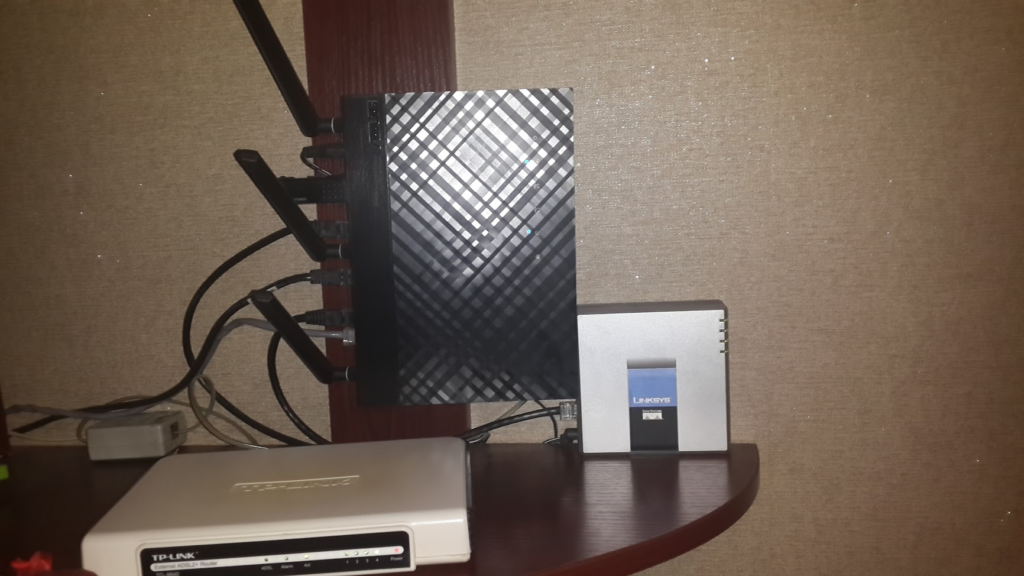
2015 year.
I created subscribers and distributed accounts to my friends, thus establishing a free phone service for myself. It seems pointless now, but back then, phone calls cost money, and tas-ix (the domestic traffic exchange network) was free.
The deeper into the forest…
A server on a router is great, but it’s a bit cramped. Then one day, I got the itch to build a smart home. I wasn’t planning on getting rid of the phone system either. After some thought, I decided I needed something compact and, preferably, one that could run on a small UPS for a long time. A single-board computer with an ARM processor seemed like the most suitable option, and my server corner ended up looking like this:
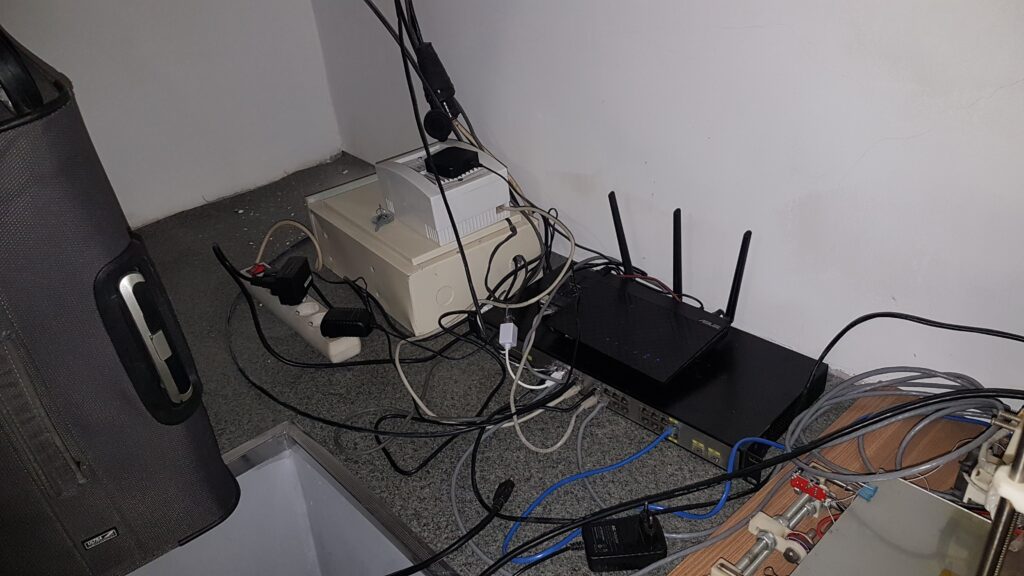
2019. The server room moved to the basement.
This pile included an 8-channel NVR, an OrangePI RK3399 as a home server, an ASUS router as an access point, and a very old but still manageable D-Link switch, bought from some homeless person for next to nothing. The main router was a Mikrotik AC2, installed on the first floor.
That’s so cool! I thought, throwing a Node RED on the single-board computer. But the SoC on this single-board computer turned out to be extremely hot and sluggish. The specs looked impressive, while the actual performance was quite disappointing. I tried cooling it, but all it resulted in was increased noise. The more nodes I added to the Node RED, the more noticeable the performance deficit became.
To hell with your ARM!
Performance wasn’t even the biggest problem. Since not everything was ready for ARM, I confess I was fed up compiling the missing software, constantly running into dependencies. Especially since compiling on such weak hardware took forever. And some programs wouldn’t even run. Figuring I’d be much more comfortable with x86 architecture, while still wanting to stay within energy efficiency limits, I bought an HP Elitedesk 800 G2 Mini. It had an i3 6100, 8 GB of DDR4, 128 GB of NVMe, and a 250 GB SSD.
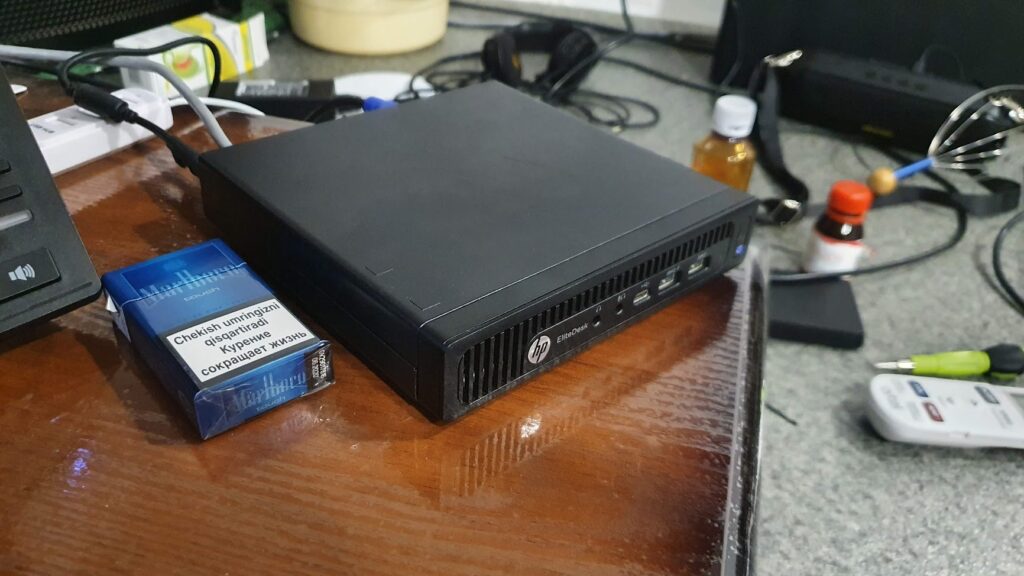
2020. An old iron rack, once used for storing pickles, was repurposed as a server rack. :)
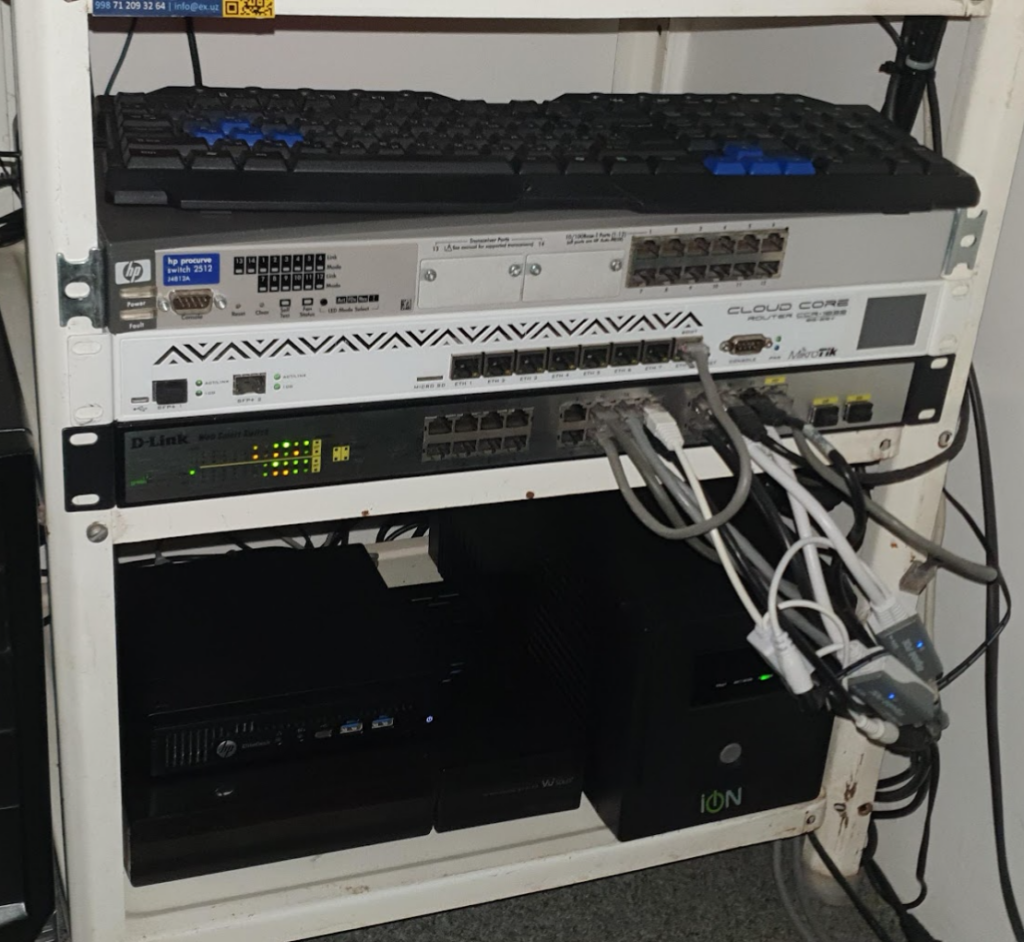
The new server found its place on the bottom shelf, along with the DVR and UPS. I was so happy with this little one! Compact, quiet, and incredibly powerful compared to its predecessor. I immediately installed Proxmox and Nginx Proxy Manager. Now I could split resources into virtual machines and containers, providing isolation and previously unimaginable backup convenience.
Everything seemed perfect… Until the need for more storage arose. Sure, you can fit one 2.5″ hard drive into a mini PC, but only one! And what the hell is a server without mirroring? I was almost certain I’d found the solution.
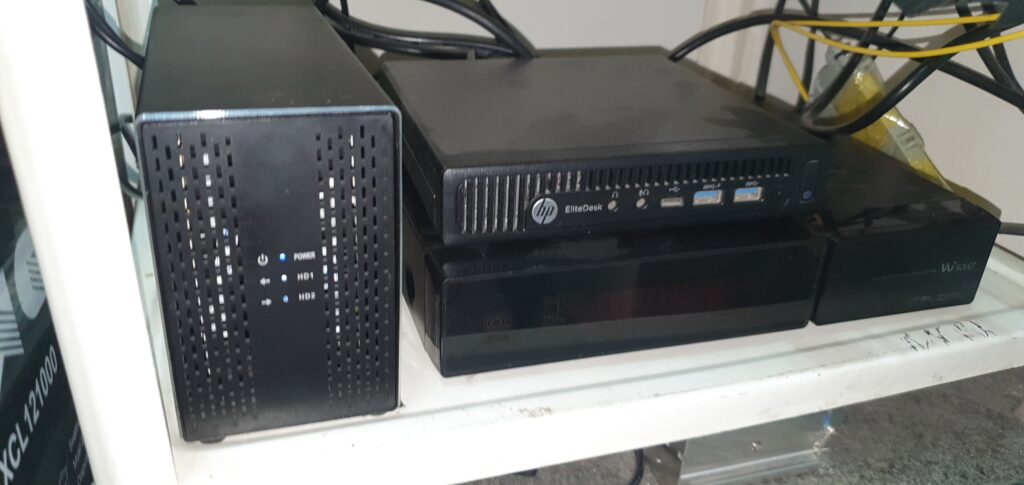
Having found an external box with built-in RAID 1, I plugged in a couple of 2TB hard drives and connected them directly to Proxmox as storage. Unfortunately, the USB connection proved completely unacceptable. The storage kept crashing once every day or two. I changed the cable, tried disabling disk sleep, but nothing helped. It became clear that this wouldn’t work properly, so I temporarily postponed the storage setup.
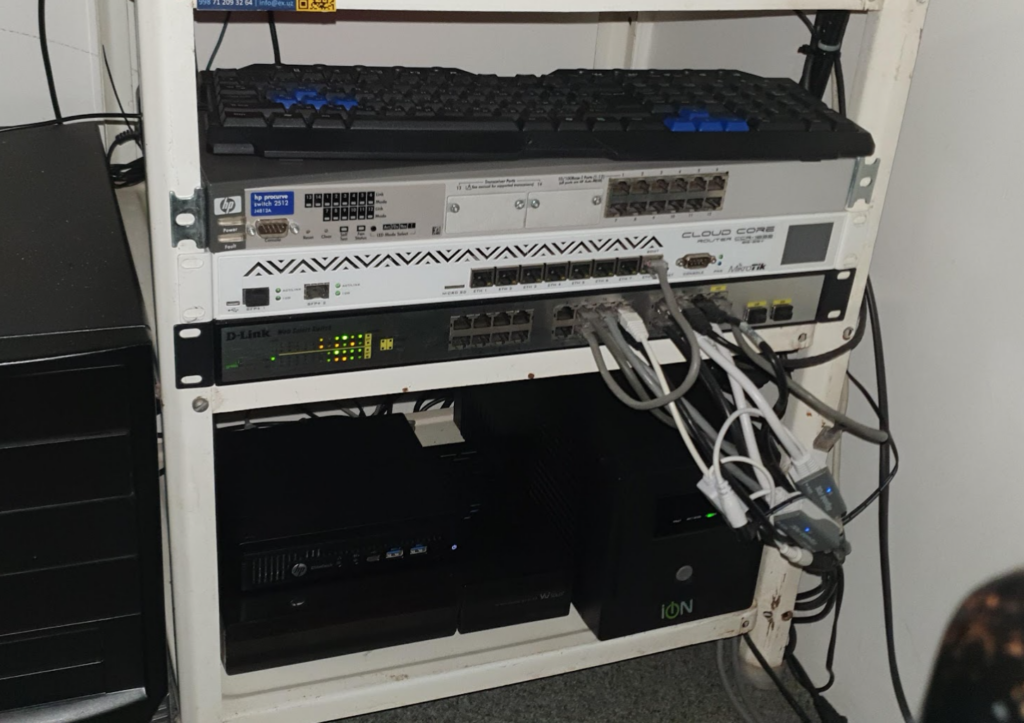
- Ignore the unconnected equipment. It’s not yours and was simply there because there was nowhere else to put it. :)
Meanwhile, the sysadmin’s corner was growing and taking on a more interesting appearance. The old D-Link switch was replaced with a Mikrotik CRS125, the main router was replaced with a Mikrotik AC3, and the ISP link was converted from copper to fiber and routed directly to the basement. He begged for it… ;)
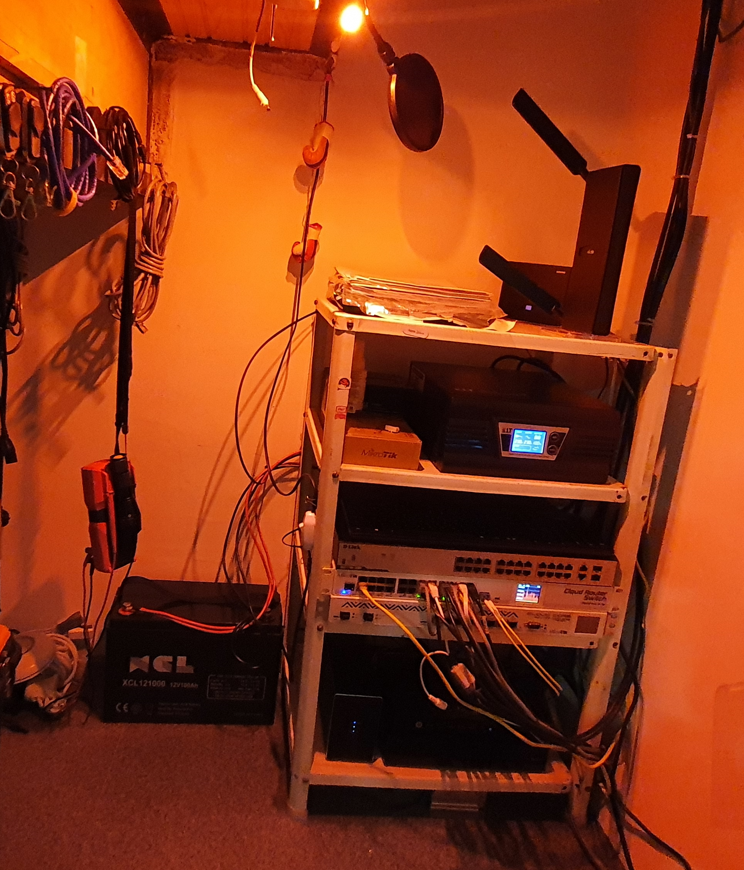
Next, the useless, cheap UPS was replaced with a heavy inverter with external batteries. In the photo, one half-dead battery is connected to the new inverter. Later, I installed two good ones. Yes, it wasn’t cheap, but it was definitely worth it!
The storage will be built!
Mini PCs certainly have their advantages. But the need for storage was growing. People kept recommending Synology, but I absolutely didn’t want to buy weak hardware at the price of a decent PC, overpaying solely for software. After rummaging through the classifieds, I found another HP, this time mid-sized. It had an i3 10105, 16GB of DDR4, and 250GB of NVMe. Best of all, it had full PCI-e support. I added a proper, server-grade LSI 9260-8i RAID controller with the ability to connect up to 8 SATA drives. The hard drives, previously stored in a USB box, were moved inside the server. However, due to the specific case of the «white» machine, they were packed in tightly, which raised questions about the drives’ operating temperature. Incidentally, the RAID controller comes with passive cooling out of the box. However, as it later turned out, its heat dissipation was designed for a well-ventilated server case. In a standard case, it heats up to almost 100 degrees Celsius. Installing a small cooler brought the temperature down to a perfectly usable 40 degrees Celsius.
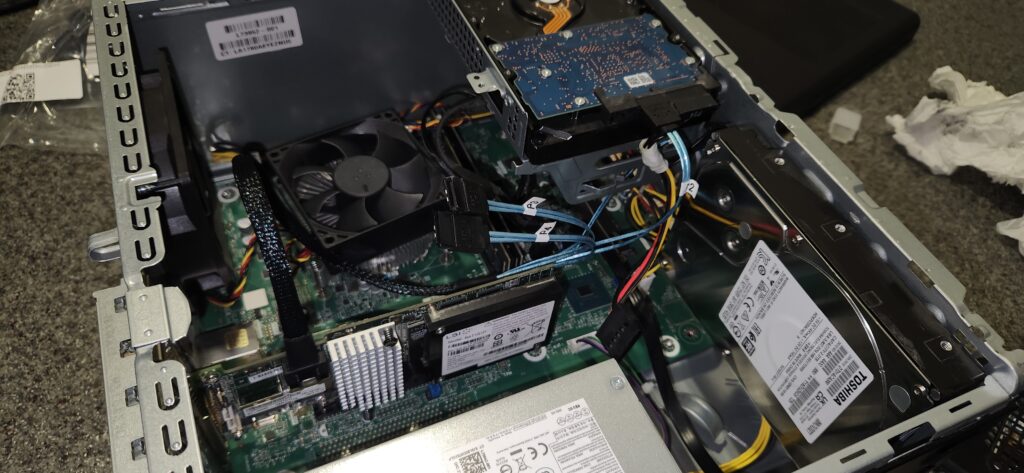
The year 2023.
Like the previous «white» computer, this one was virtually silent. Power consumption readings showed around 30-40 watts. Combined with a long-lasting battery and a reliable fiber optic link to my ISP, I was able to get at least 8 hours of battery life out of my mini server room. Essentially, this provided uptime comparable to many paid hosting providers.
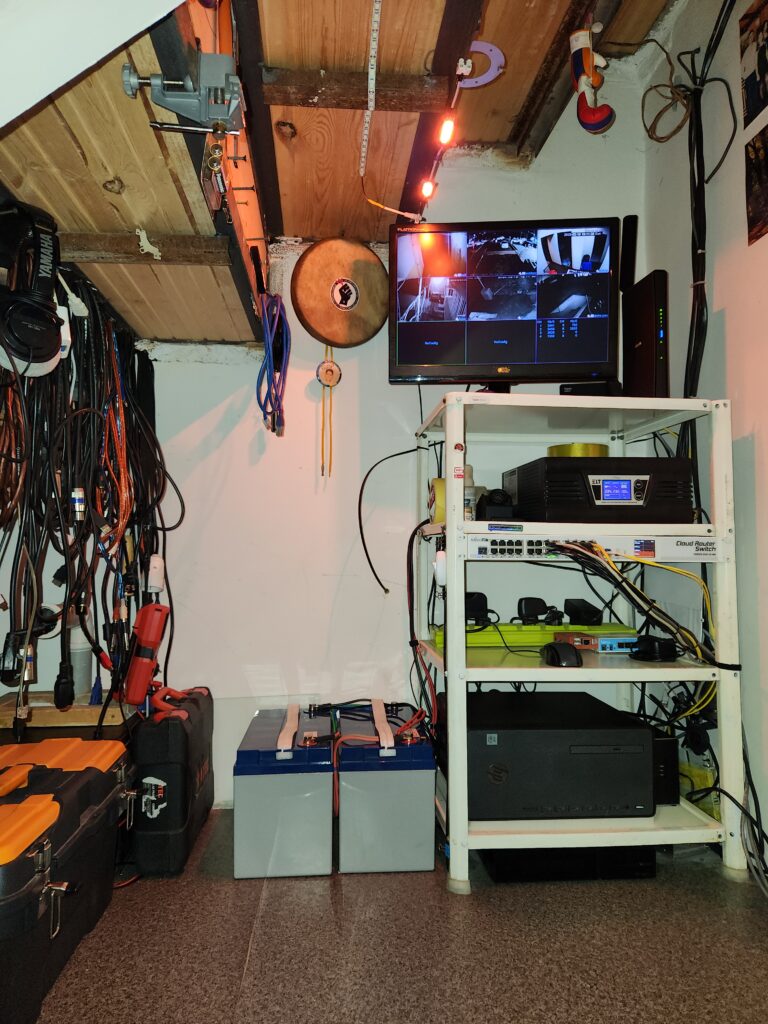
Everything was ready to host my websites (including this one), which had previously been hosted elsewhere. An additional container for virtual hosting was launched on the server.
Healthy eating
At some point, I added an unmanaged PoE switch. After all, I have a serious UPS, so why not make my critical network devices autonomous? And while I only needed to power the cameras, there were no issues with it. But I also needed to power an IP phone and a couple of WiFi access points. And that’s where VLANs come in.
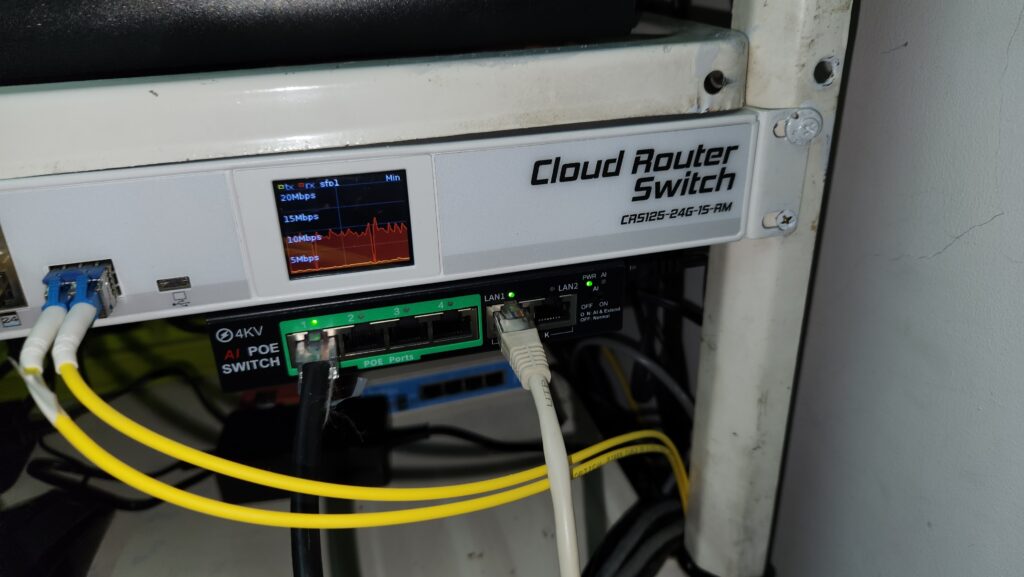
I’ve been lusting after the Mikrotik CRS328-24P-4S+RM for a while now, but its price was a major obstacle to purchasing it. But dreams do come true, right? :)
By an incredible coincidence, this very switch was written off by one organization and was given to me as payment for setting up a corporate network. How unexpected and pleasant! :)
It replaced an unmanaged piece of Chinese crap and an old Mikrotik CRS125. The network was now in perfect order. Now, power outages (which, by the way, happen frequently) don’t bother me at all. Everything I need runs directly from the UPS or via PoE. And with the help of a managed switch, I was able to properly divide the network into main and guest networks, as well as VLANs for video surveillance and IoT devices.
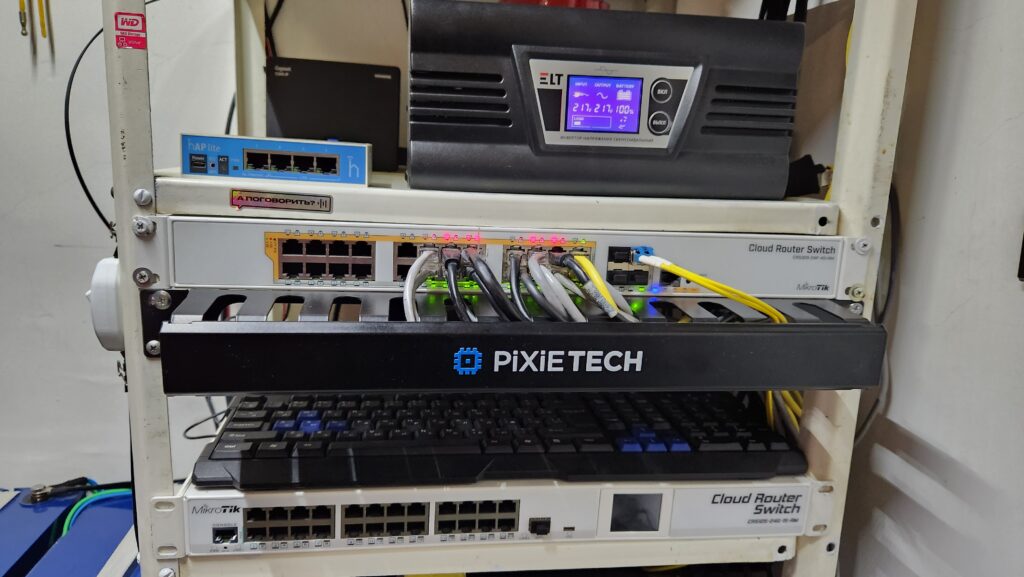
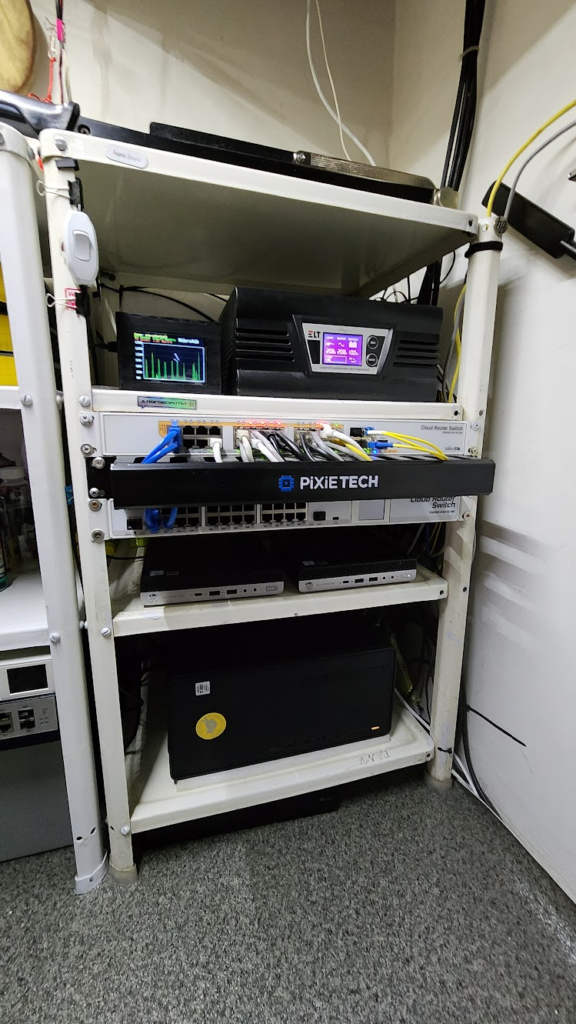
Here’s a cable manager attached to a makeshift stand. It’s inexpensive and looks impressive. :)
One provider is good, but two are better!
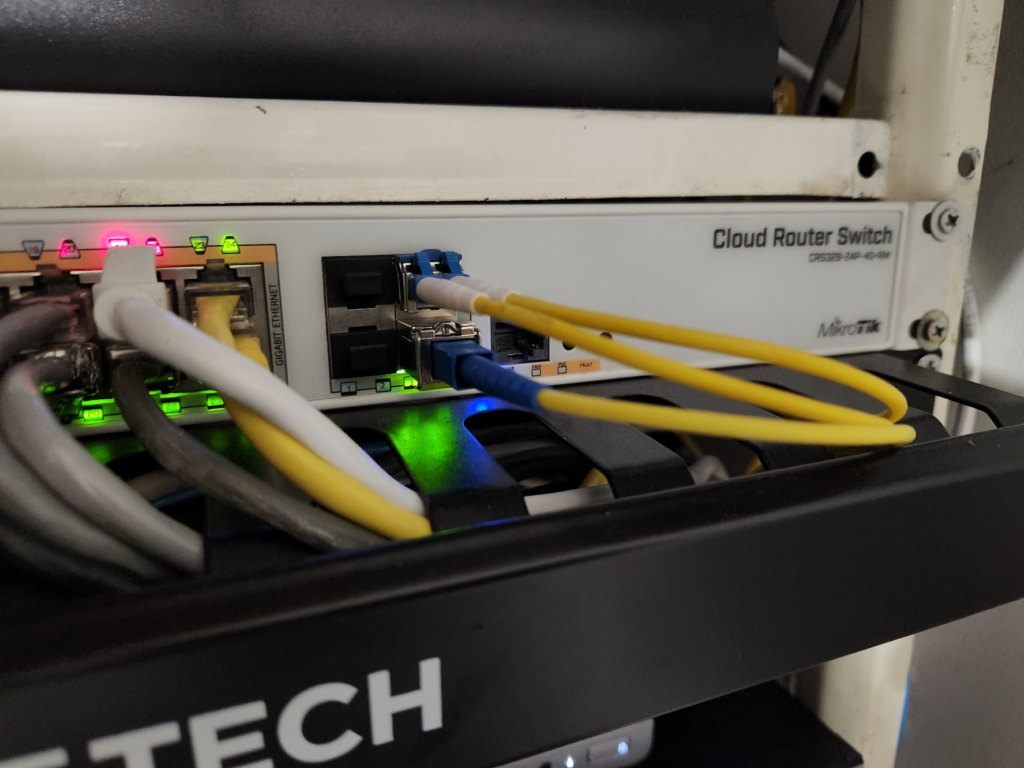
Unfortunately, my ISP started letting me down. Occasional outages, a ban on port 25, and a complete torrent ban—all of this made me consider switching providers. But I decided not to switch to my old one, but simply make it a backup. I had to beg for a fiber optic link again, but this time they even got me an ODF connection, so now I have no doubts about internet continuity even during power outages.
So, an ordinary home subscriber got another optical link in his switch… The linemen who connected me, seeing all this, were even a little confused. ;)
Something is missing…
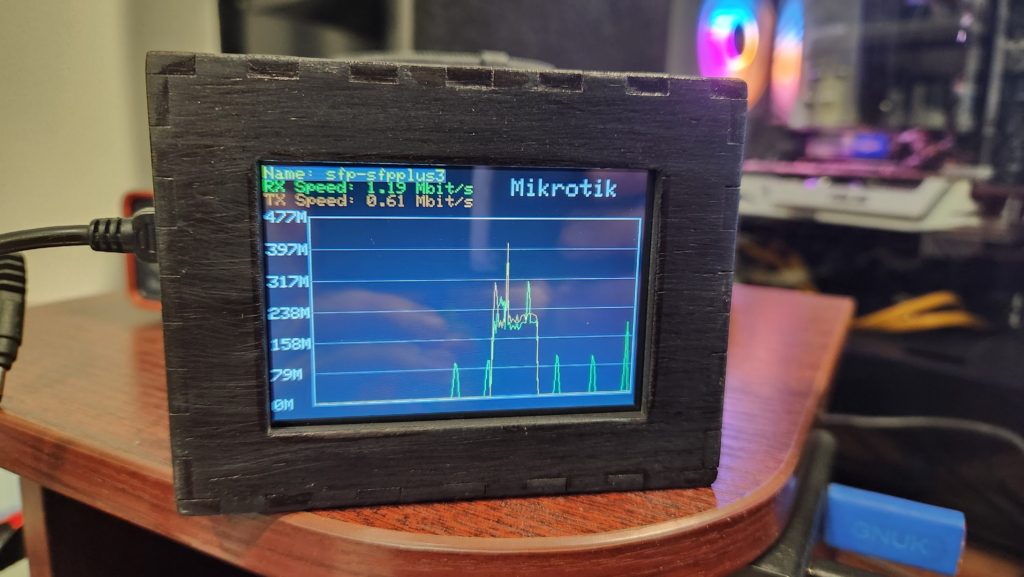
My old switch had a nice little LCD screen that showed network load. Unfortunately, the new one lacked that feature, and I actually started to miss it. It’s not exactly a necessary feature, but it sure is a nice-looking thing, isn’t it?
After rummaging through my toy box, I dug up a TFT display and a board with an ESP32 chip. Using Google and chatgpt, I was able to write firmware and make this cool remote monitor. It collects data from the Mikrotik via SNMP and plots a graph.
A separate article on how to replicate such a device will be published later.
Cluster
The new full-size server was perfectly fine. But when I needed to run some Windows Server virtual machines for specific purposes, I decided not to waste the main server’s resources. So, I reinstated the mini PC in the rack. And since I now have multiple nodes, I can play around with Proxmox clustering while I’m at it.
The year 2024.
I’m not enough again
One day, the RAID controller started complaining about one of the hard drives. I’m not sure how much inadequate cooling played a role, but after replacing both drives, I started thinking about upgrading to an industrial form factor. It was a shame to give up the super-efficient «white» PC, of course, but it was a sacrifice. :)
I spent a long time searching for a case, but unfortunately, I couldn’t find anything suitable locally at a reasonable price. I stumbled upon a great option at Ozon. It turns out they have a ton of server hardware, and for $72 on sale, I found a truly amazing 4-unit Mastero 4U450 server case with a 45-centimeter overhang. This depth was more than suitable for me, as the case fits comfortably in the dedicated shelf. It also holds a full-size motherboard, six large hard drives, and there’s also a triple-DIN bay where you could, if you wanted, install a backplane cage for four 3.5″ hard drives (or some other such thing). Let’s get it!
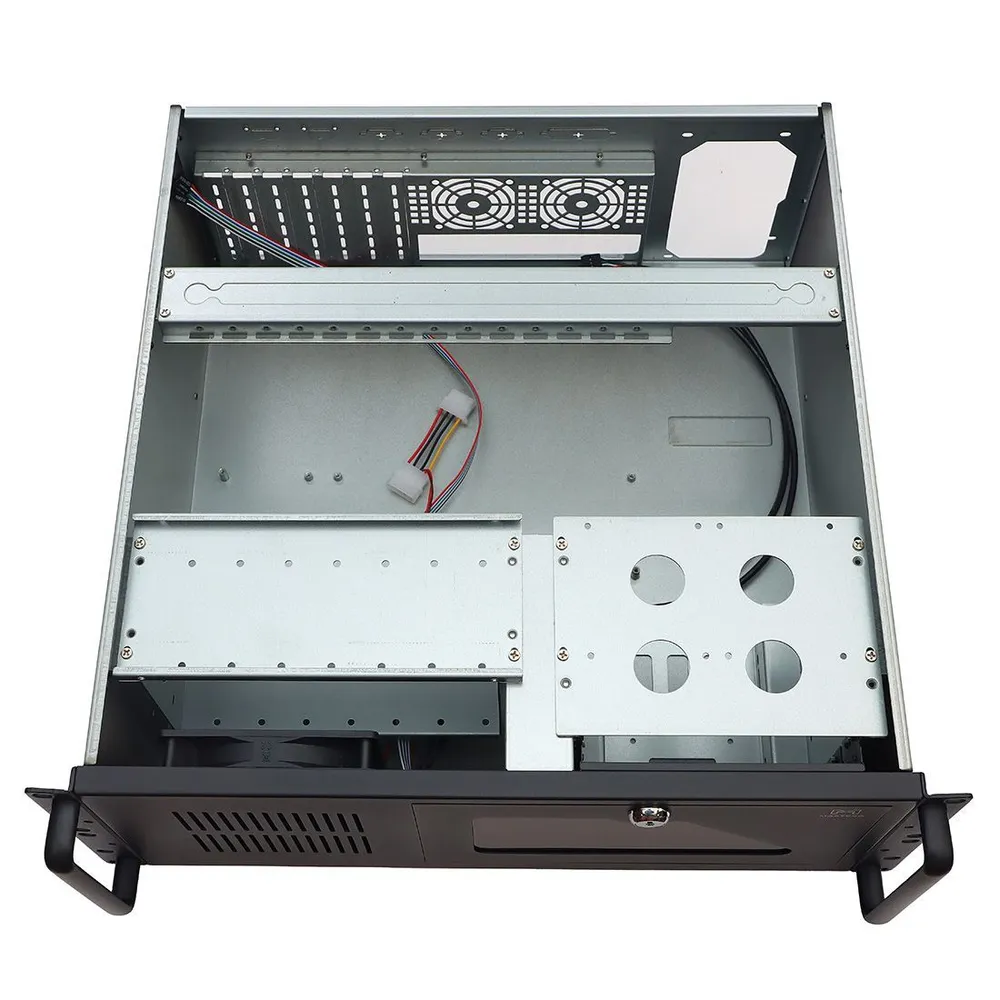
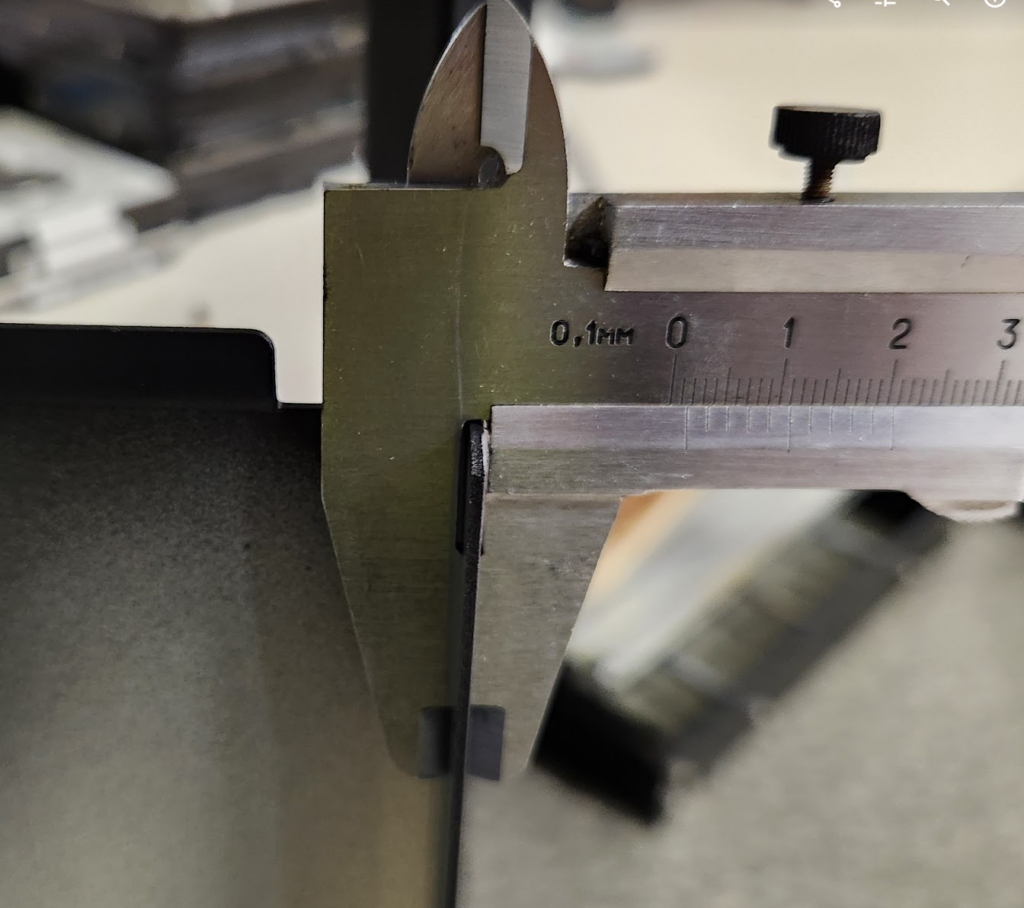
The order arrived in about three weeks. Imagine my surprise when I unpacked it and felt it… It was made of really decent metal! Even the end caps were made from 1.5mm sheet metal. I was sure I’d get a case the size of a tin can for $72, but instead I got a rugged iron box.
Of course, the motherboard and power supply from an HP PC won’t fit in this case. The new server was already built with an i3 12100, a Gigabyte B610M-K motherboard, and one 32GB stick of DDR4 RAM.
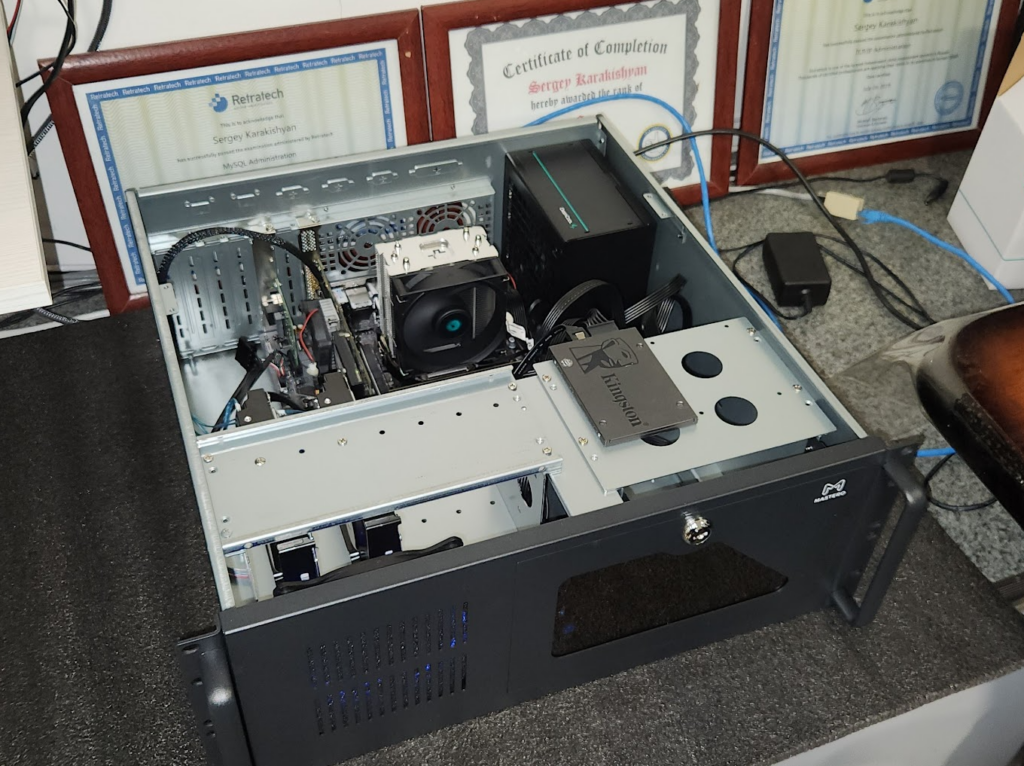
I immediately replaced the factory case cooler with a controlled one, since I don’t need constant high RPMs and the resulting noise.
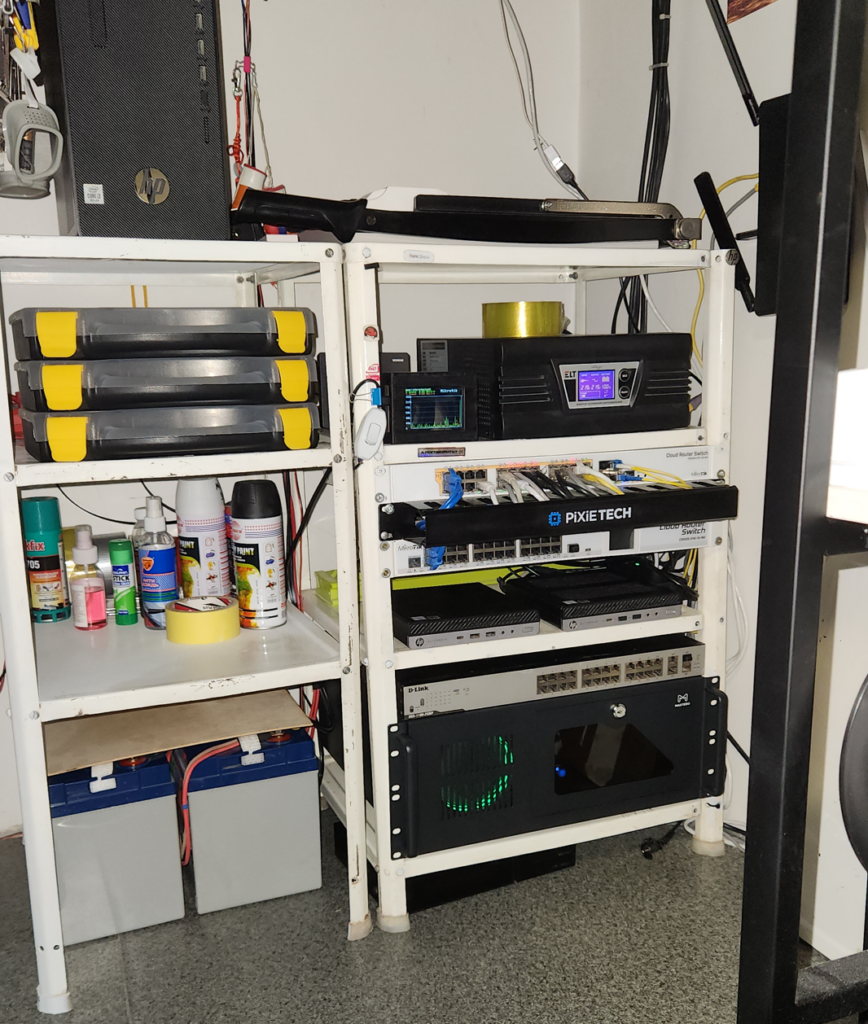
At the time of writing, my home rack looks like this. Perhaps, in a little while, the rustic white shelf will be replaced with a proper telecommunications cabinet. And eventually, the server’s motherboard will be upgraded to a full-size ATX, with a 10 Gigabit network interface plugged into the second PCI-e slot. To be continued…