
It would seem like a simple task: connecting the internet (VLAN 729) and telephony (VLAN 200) to a single GPON port on a terminal. However, this functionality is so poorly implemented in this router that I spent four hours getting it to work. To save you time and frustration, I think it’s only right to share my experience. :)
So, we have a GPON terminal from Uztelecom with VLAN IDs 729 (Internet) and 200 (IP telephony) and a router with a severe shortage of ports. We go to the router’s web interface and open the Advanced > WAN section. Add the required profiles. Based on our task, we select IPoE with Bridge mode. Specify the desired VLAN ID and leave everything else at default. No need to map ports!
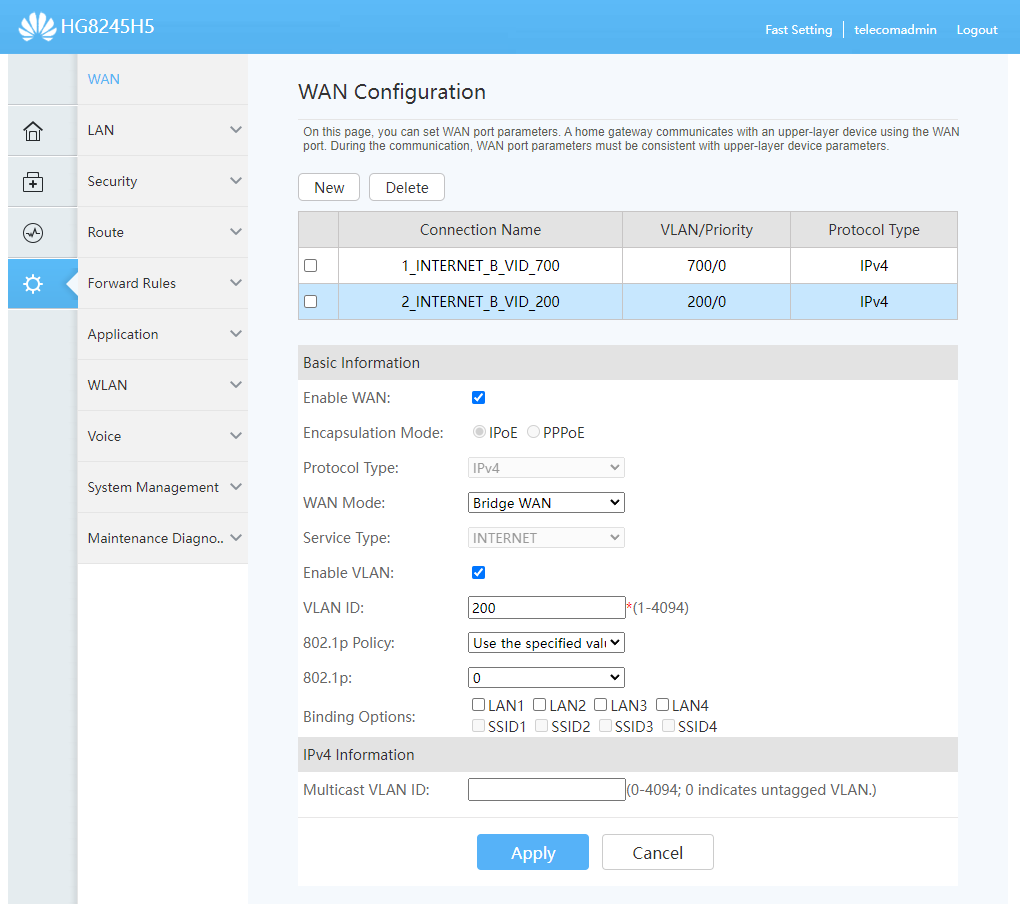
Now we have two WAN profiles.
Now we go to the Route > IPv4 VLAN Binding section and ask ourselves: What idiot came up with the idea to put VLAN binding in a section that, by its very appearance, hints exclusively at L3?
Select the desired port, change the Port mode to VLAN binding, and in the VLAN Pairs field, enter your VLANs using the local/external pairing (asymmetric pairing is also possible). Important! Separate the pairs with commas, WITHOUT SPACES! Otherwise, the interface will complain about the syntax and confuse the user.
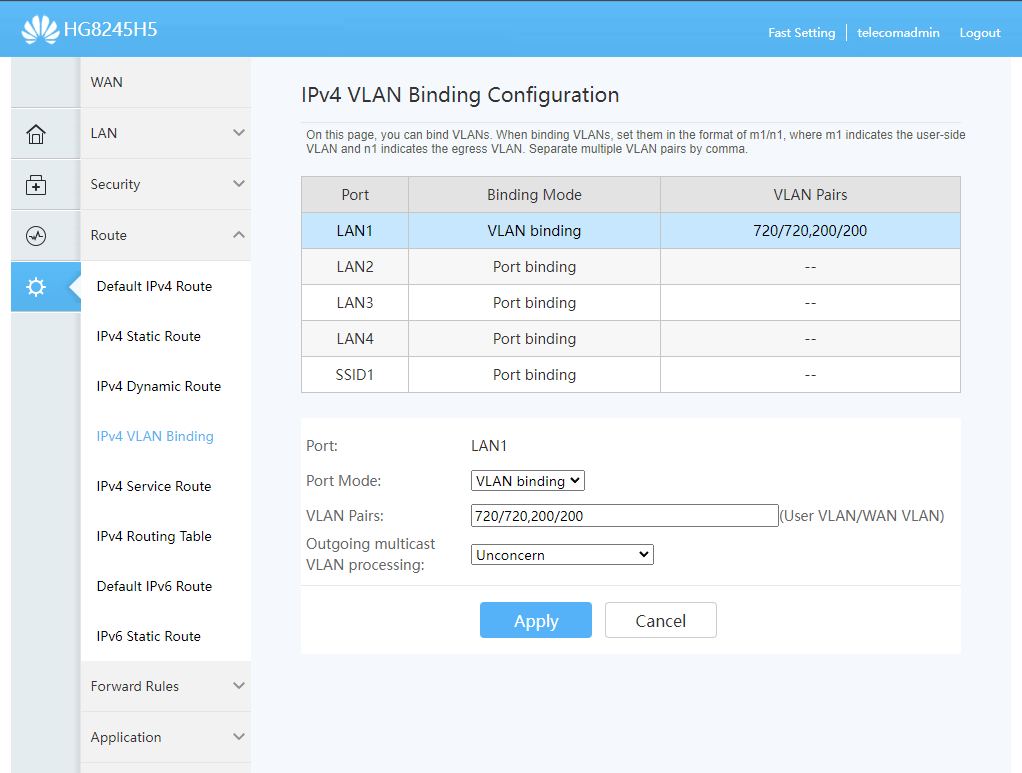
Done! Connect the router (or whatever you have there) to the LAN1 port and assign VLANs to it. The default (untagged) VLAN will remain the network all the way to the GPON terminal, so you can continue to use it over the same single cable.
P.S.
I Googled like crazy, but couldn’t find any documentation on this setup. So, as they say, FIRST OF ALL!