
This article will discuss hardware selection for business-level projects. It will also explore the advantages of an industrial server versus a PC-based server, as well as a detailed comparison of the two configurations…
Preface
Because of my profession, I’m often asked to select a server for specific business needs. I didn’t even try to offer to buy new servers from local vendors, as their prices were simply mind-boggling. So, I had to cobble together what I could find on, say, a Malibu store. That was until I stumbled across the website sale-server.uz.
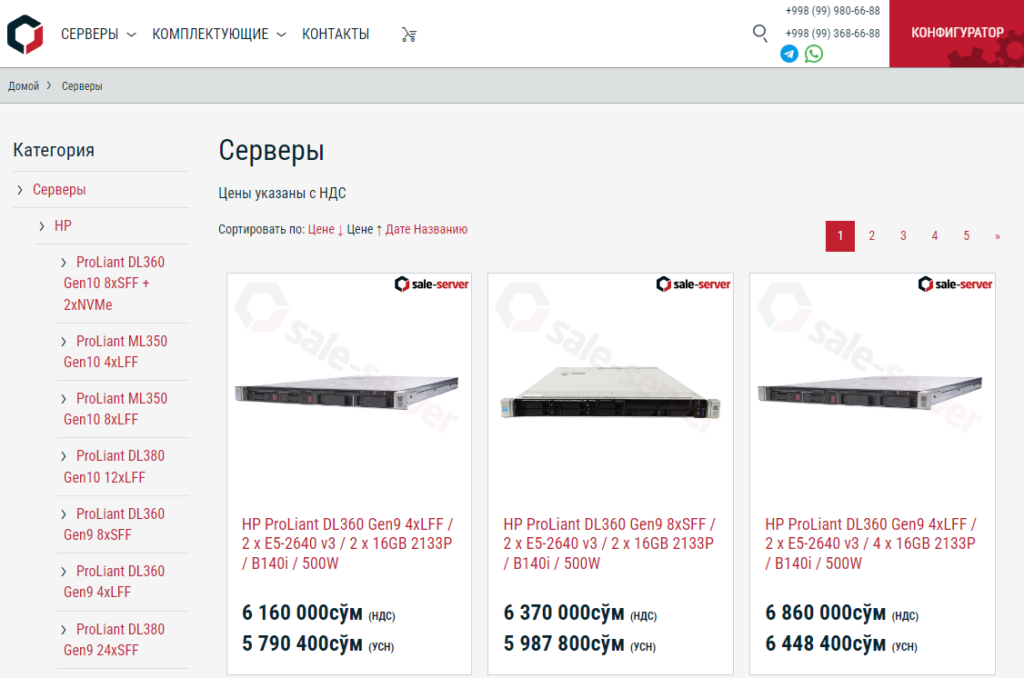
Imagine my surprise when I saw decent hardware at prices quite comparable to eBay, considering shipping and taxes? Moreover, if you have limited time for deployment, you don’t have to wait weeks for delivery. You just go and buy it! Was that even possible? :) The appearance of such a supplier on the Uzbek market raises the question of how rational it is to turn a personal computer into a server.
Subtleties of installation in a data center
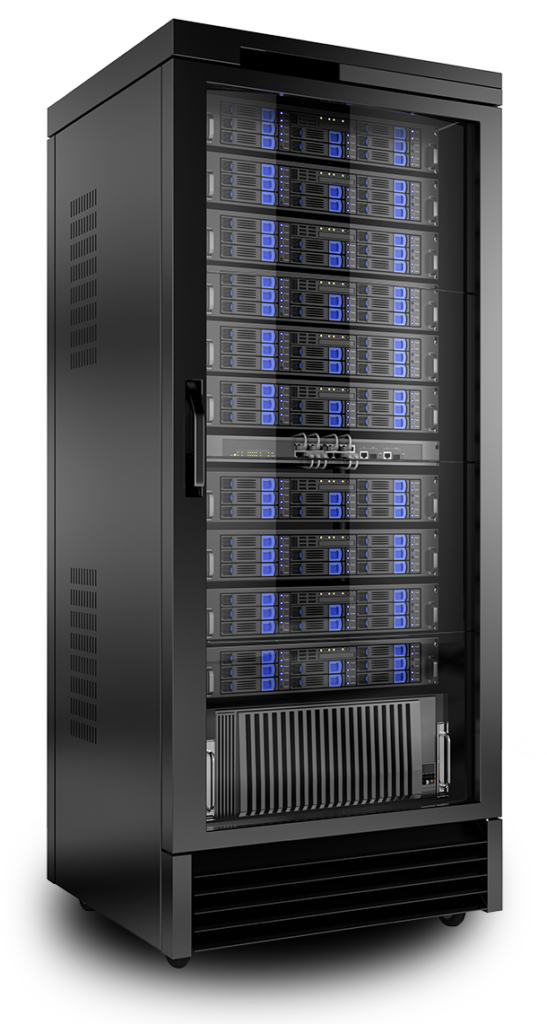
Most reputable data centers only have rack-mounted enclosures, and a standard tower case won’t fit. Of course, some data centers may have tower racks, but in that case, our options will be limited.
What about rackmount cases? Well, firstly, you’d have to source one somewhere. Secondly, it would most likely be a 4U case. And you have to pay for each occupied unit at the data center. There are low-profile cases, too, but finding the right components to fit in them would be challenging.
The second, no less important factor is the ability to perform remote maintenance. I once experienced a server reboot during an update and never returned. And, as luck would have it, it happened during the holidays. As a result, we experienced a two-day downtime. Simply because no one could authorize access to the provider’s server room.
In the case of a professional server, this problem is eliminated by the presence of a built-in IP-KVM (also known as IPMI, iDRAC, ILO, etc.). With it, you can easily restore the system to normal operation, reconfigure the BIOS, RAID controller, or even reinstall the operating system remotely. In other words, you can solve almost any problem, except hardware ones.
Hardware
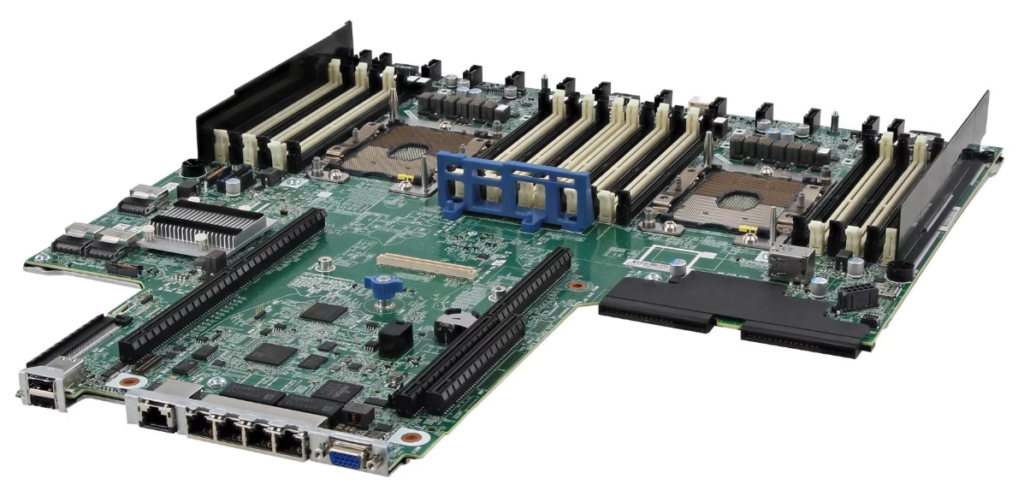
Have you ever seen a motherboard with bulging capacitors? I’ve seen plenty… But I’ve never seen anything like that on a server board, even one that’s twenty years old. Servers, by definition, are designed to run nonstop year-round. Therefore, unlike most home motherboards, server boards are built with more reliable components.
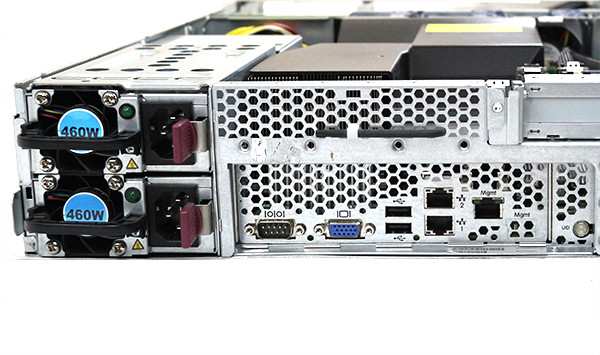
An even more obvious feature is the optional redundant power supply. It might seem like this is a backup in case the primary one fails, but that’s not all. In fact, the redundant power supply allows for failover to another power source without shutting down the server. This is necessary when replacing batteries in a UPS or in the event of other power supply issues.
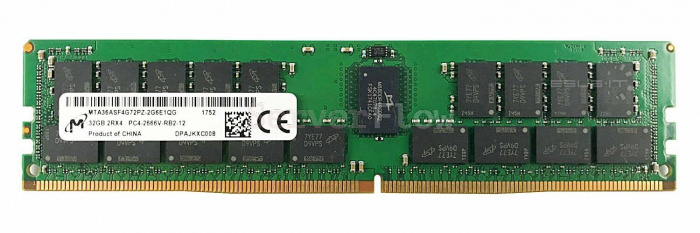
It’s probably no secret that real servers use RAM with automatic error correction ( ECC ) support. Unfortunately, such memory can’t be installed on a motherboard with a «homemade» chipset. And don’t underestimate the impact of those errors that non-ECC memory can’t correct. In the long run, even one incorrect bit in memory can have critical consequences, especially when it comes to working with databases.
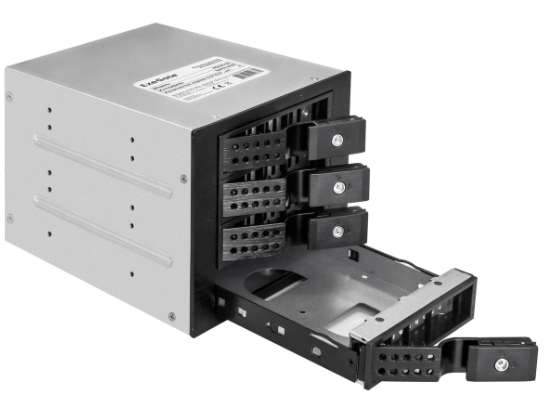
Of course, we shouldn’t forget about the disk system. Sure, you can buy a separate RAID controller and shove it into almost any setup (which is what I did at home), but the server here features a high-quality drive cage with informative indicators, allowing you to swap drives on the fly, without opening the case. If your case already has 5.25″ bays, you can buy a separate, smaller cage, but such a thing costs around $120, and even at that price, it’s significantly inferior to a factory solution in terms of quality and cooling.
Which is cheaper?
At first glance, it might seem like an industrial-grade server costs significantly more than a machine built from homemade components. That’s not entirely true. At least, not unless we’re talking about new equipment. Let’s do the math. For comparison, I used one of the most affordable used servers from sale-server.uz and a similarly powerful build made from SOHO-class hardware. But to be fair, our build will also be partially assembled from decent used components (those I could find on classifieds) and will also include a RAID controller and a rackmount case.
I did not include hard drives in the configurations, since for the first and second options this would be the same consumption.
Configuration #1
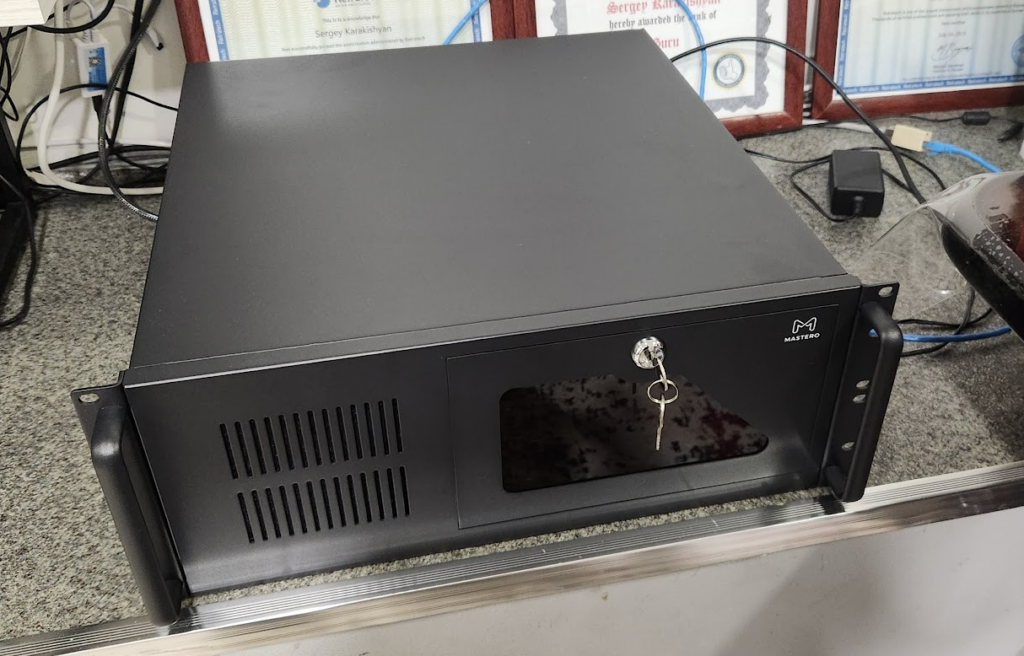
CPU Intel Core I5 12400 — $115
MB ASUS Prime H770-PLUS D4 — $150 (something cheaper has only one PCI-E x16)
DDR4 32GB non-ECC 3200 — $50
DeepCool PF500w power supply — $32
Mastero 4U450 Case — $94
A decent CPU cooler costs $25.
LSI 9260-8i RAID controller — $36
Total: $502
Configuration #2
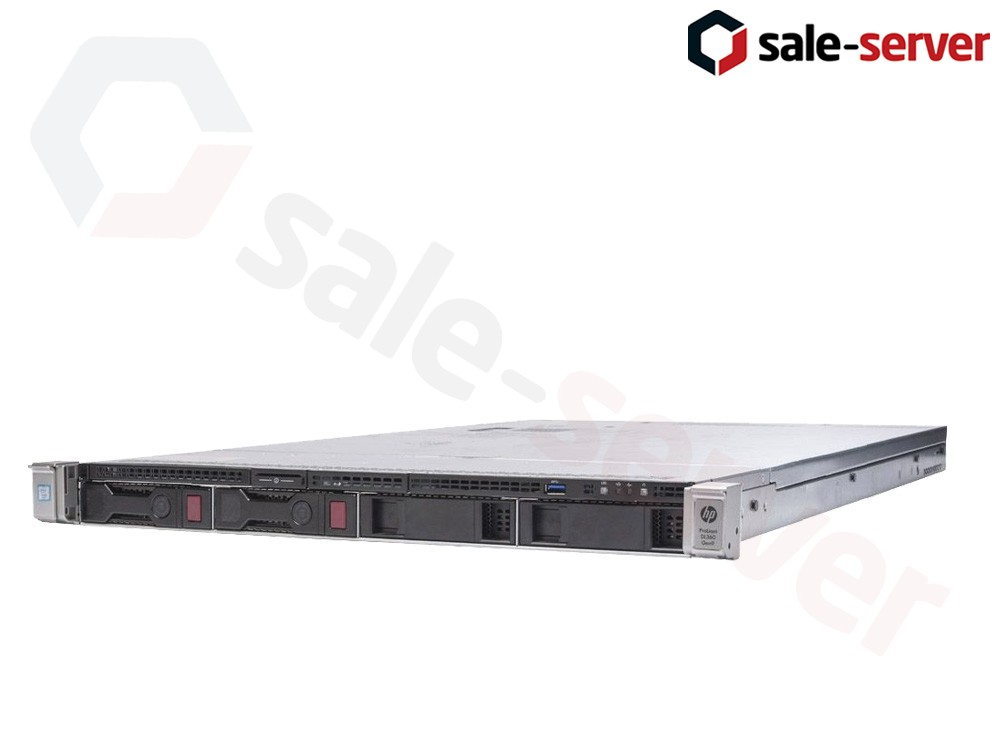
Proliant DL360 Gen9
2 x INTEL Xeon E5-2640 v3 **
2 x 16GB DDR4 PC4-17000 (2133P) ECC
HP Dynamic Smart Array B140i
HP 500W Power Supply
Built-in Ethernet 4 Gigabit ports
And of course, ILO
Total cost: 6,160,000 sum including VAT (about $485 at the current exchange rate)
More detailed information can be found on the product page.
Nuances of comparison
** Here we’re comparing a dual-processor configuration with a single-processor home setup. However, I intentionally chose a processor for the dual-processor configuration that benchmarks as well as two Xeon E5-2640 v3s.
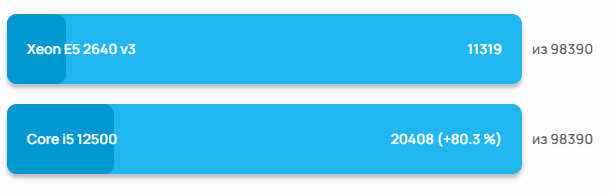
But if you look at it in more detail, the mathematics of the synthetic benchmark still doesn’t add up.
So, in the first configuration, we have 6 cores with a maximum frequency of 4.4 GHz, while in the second, we have a whopping 16 cores at 3.4 GHz each. In most server usage scenarios, parallelization of tasks is much more important than the performance of a single core (especially in virtualization). Furthermore, the server’s total core frequency is slightly more than twice that of a PC with a single 12400 core.
So, they’re not that comparable after all? And if we were to find something truly equivalent based on these figures, the i5-12400 would have to be replaced with an i7-12700, which would add about $150 to the cost of the initial configuration.
Another caveat is the lack of M2 slots for installing an NVMe drive in the pre-built server. This can be compensated for by purchasing a PCI-E adapter.
The only advantage we get from choosing home-made hardware is lower power consumption. But there’s a catch. :) When you put a server in a colocation facility, no one will measure your hardware’s actual power consumption. They look at the nominal power of the power supply, which is 500 watts in both cases. And these 500 watts are usually already included in the cost of colocation. Profit! It’s a different story if you add a second power supply… But that’s a slightly different story.
Scared to buy used?
This might surprise some, but most providers and hosting companies in our country do this. Because it’s profitable!
What about the warranty? According to the website, Sale-server offers a 3-year warranty on used servers.
Yes, yes, I wasn’t mistaken, a 3-year warranty on used equipment (I even checked with the managers). And besides, they have spare parts in stock.
Conclusion
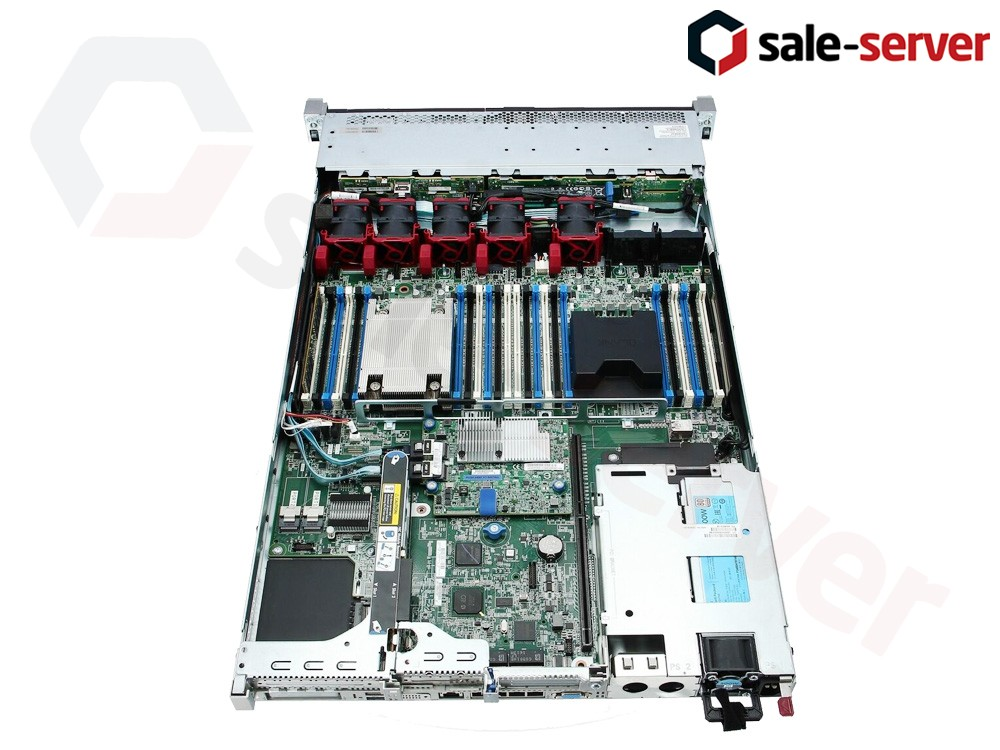
So, we have two options: A home-made server with more or less reliable components for $502 and designed for continuous operation, an industrial-type server with the ability to install an additional power supply, ECC memory (which, by the way, can fit up to 768 gigabytes), a newer RAID controller, a remote management interface, and a disk cage for 4 drives for $485.
Perhaps the choice is obvious here? Well, the only compelling argument in favor of a homemade server is low noise levels.