
If you use a digital signature in Uzbekistan, you probably know that you can only sign documents with your own key through online services like didox, efaktura, and the like. But why can’t you use your own key on your computer? Well, now you can. :)
Here’s a simple scenario: at work, I was asked to remotely sign an internal document. Nothing special, really. Just confirmation that a certain accounting procedure would be carried out with my approval and responsibility. But how do I sign it? Draw a squiggle on my smartphone screen? Photoshop my signature onto a PDF file? That’s stupid! How can THAT signature even prove anything? And since the document was purely internal, no one was going to send it to me via Didox. And then I remembered that I’d been pissed off for a long time about not being able to use my digital signature to sign documents locally. So I decided to fix this problem myself.
Since e-imzo has quite decent API documentation, reinventing the wheel didn’t take long. :)
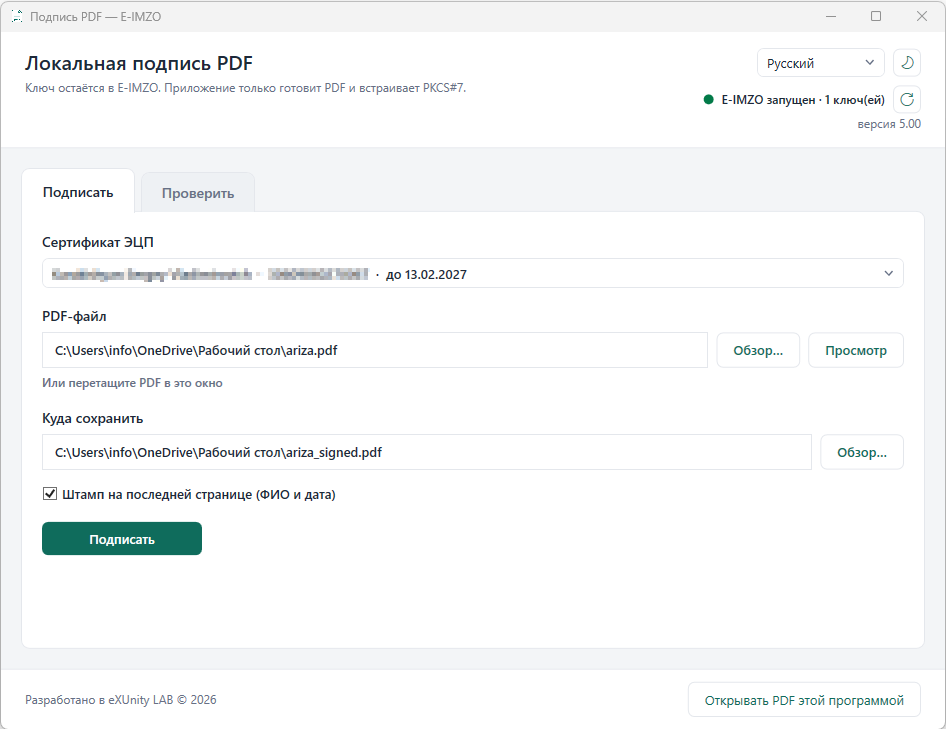
The program is simple and easy. Launch e-imzo with a live certificate, upload the PDF (you can use drag and drop), and sign.
You can sign several times, either with the same key or with different ones.
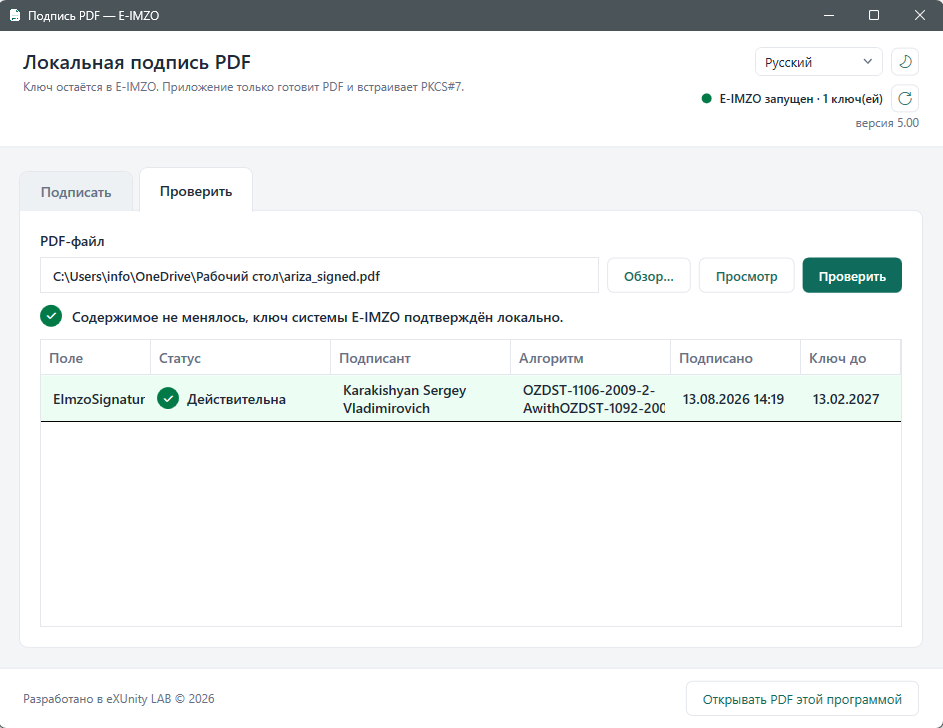
If you were sent a signed file, you can verify its signature. If the document has been changed even by one byte, verification will fail. You can get more detailed information about the signature by double-clicking on a line in the list.
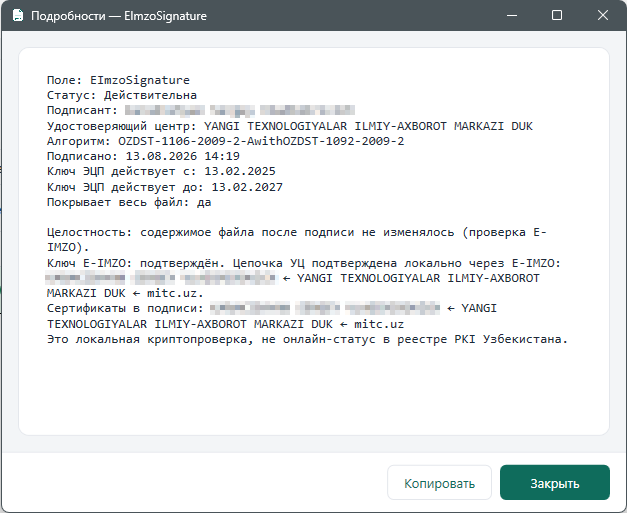
Since the program isn’t certified, the legal status of documents signed with it is still questionable. However, if you need to use it for internal purposes or to verify the identity of a remote interlocutor, it’s a perfectly suitable product.
The program is distributed open-source under the PolyForm Noncommercial 1.0.0 license. To dispel any concerns about its security and trustworthiness, you can conduct your own audit and build your own copy from source. :) The repository address is here. Or you can download a pre-built version here .