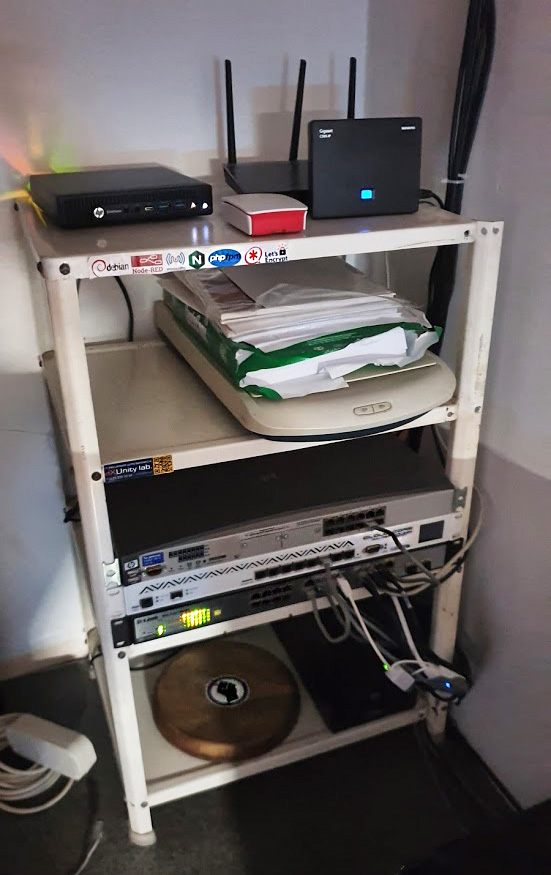
Not long ago, I wrote about how cool it was to set up a home server on a single-board Orange Pi. However, my appetite is growing, and this platform simply doesn’t have enough room for everything I want to add.
After poking around the classifieds, I found a very interesting little machine: the HP ElitDesk 800 G2 mini. It featured a Core i3 6100 processor (yes, a desktop machine!) and 8GB of DDR4 memory. It didn’t come with a hard drive, so I had to buy one separately.
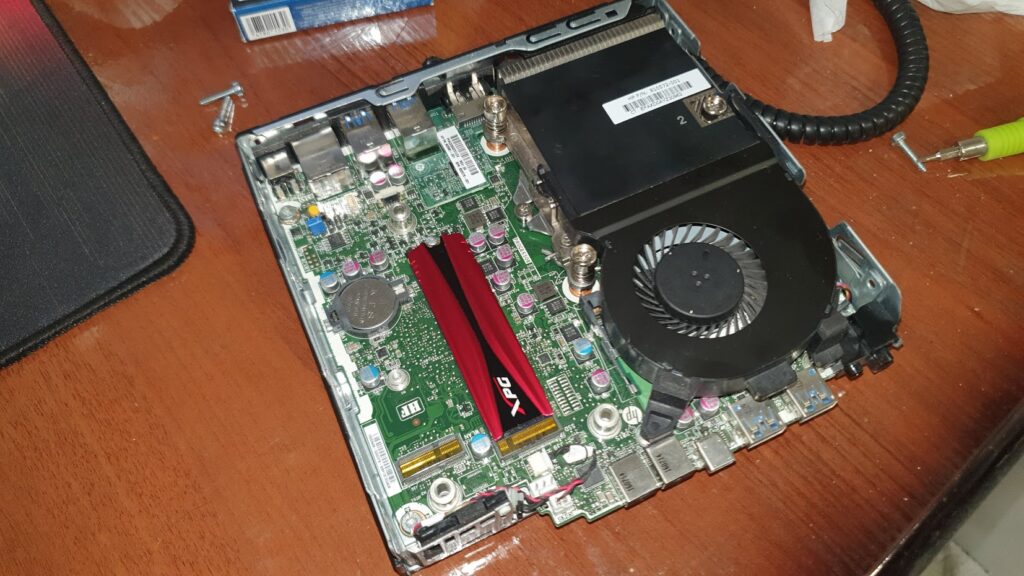
So, all this good stuff plus the 120GB NVMe cost me exactly 200 dollars. I then shoved a mechanical hard drive from an old laptop in there to have somewhere to store backups.
Now let’s go over the software.
On my old micro server, including its built-in 16GB MMC, I had room for: Armbian; a smart home server running Mosquitto + Node Red and related stuff; Asterisk + GUI; nginx as a reverse proxy, mostly, since hosting even a small WordPress site would have been a chore (with any traffic). What really got me was trying to upload a 4GB file from another server. The server froze in response. Repeated attempts yielded the same result: the hardware simply couldn’t handle the large file upload via SSH (SCP). Furthermore, the 2.5″ HDD I’d previously connected to it nearly died, as it went into a permanent restart mode due to an unstable power supply. I was very lucky to find the clicking hard drive before it blew its head off.
The combination of all these nasty things made me reconsider my views on single-board servers.
The new hardware has significantly more power (and I could add even more), so I decided not to install everything on bare metal but to deploy virtualization. I used my favorite Proxmox as the basis. This setup added a ton of capabilities and saved me some headaches.
Pros:
- Containers separate services from each other, which improves overall system security. It’s highly undesirable for a hack of some minor detail to lead to a hack of the smart home. Isolation is the perfect solution to this problem.
- Backing up is now much easier and can be done automatically. Backing up the entire contents of a single-board computer, including the OS, was much more difficult.
- At any time, the working container can be copied, turning the copy into a sandbox, so as not to damage the working service with obviously questionable changes.
- There’s no need to cross a hedgehog with a snake anymore; anything that interferes with each other can be placed in separate containers. And there was a case where installing 3cx phone somehow stupidly forced the destruction of Mosquitto. I have no idea why these packages are mutually exclusive, but such a case exists.
- Whatever one may say, the arm64 platform still has major software compatibility issues. It’s simply impossible to compare it to x86. As a result, I now have a Windows sandbox among my other sandboxes. Just in case. :)
- I no longer worry about the ROM dying. Changing the EMMC on a single-board computer is an impossible task for me (and where would I get a chip anyway?). Nothing is soldered onto the mini PC, so I can throw it away and install a new one.
Cons:
- The cost is twice as high. But the performance is also twice as good.
- The noise from the mini PC is a bit low, but it’s there. It has active cooling, which is where the next downside comes in.
- Keep an eye on your cooling. A laptop-type cooler can easily create a carpet inside itself, so it’s a good idea to check its condition periodically. And by the way, a reminder to clean the cooling system is built into the mini PC’s BIOS! Cool!
- Power consumption is 2, if not 3, times higher. However, the cost is still not so high that it would be worth sacrificing performance for the sake of savings.
- There’s no GPIO. On the other hand, on the rk3399 model I had previously, the GPIO pins only worked partially due to buggy software. If absolutely necessary, you could simply attach an Arduino or something similar to the mini PC.
In my personal opinion, a mini PC is the clear winner. However, if the task doesn’t go beyond a simple home telephony server, a $25 single-board PC will suffice.
And finally:
This is what my home stand looks like now :)