
As this article is being written, someone is coming up with new ways to steal your money. People who understand how electronic payment instruments work are, of course, much less likely to lose their hard-earned money. But scammers sometimes come up with such tricks that even a professional techie has to be on guard.
Along with the development of electronic payment systems, real electronic pickpockets have rushed into Uzbekistan’s information space. For some, everything written here may seem obvious, but judging by the volume of income generated by online scammers, this information will definitely be useful to someone. This article will be divided into two parts: the first for average users, and the second for more advanced users—those who are capable of ruining the scammers’ day.
Don’t let yourself get robbed
Almost all the scam schemes available to scammers have certain common features.
It all starts with an attempt to extract personal information from you.
Please note that some of your personal information may be publicly available online. For example, the phone number linked to your credit card is often listed on classifieds sites, where they can find you. This explains why scammers often target classified ads.
Let’s display a table in which your personal data is divided into categories.
| Data for receiving transfers | Details for debiting funds from the card (confidentially) | Access data for payment instruments (strictly confidential) | Information that only the card or account owner should know |
|---|---|---|---|
| 1) Card number (consists of 16 digits indicated on the card), 2) Bank account number (consists of 20 digits, not indicated on the card), 3) Recipient’s first and last name | 1) Card validity period (indicated on the card), 2) CVV2 security code (three-digit code, usually found on the back of the card) 3) Payment confirmation code from SMS (carefully read the accompanying information in the SMS message) | 1) Confirmation code from SMS (carefully read the accompanying information in the SMS message) 2) The telephone number to which the payment instrument is linked. | 1) PIN code for working with an ATM, 2) A code word for identification in case of contacting bank support (transmitted only if you call the bank YOURSELF.) 3) Access to a device containing confidential data, including payment applications. 4) Balance (remaining funds) of your card/account. 5) The password for your Google account, which allows you to remotely install applications on your smartphone . |
This means that if someone promises to transfer money to you, they shouldn’t ask for anything other than the information in the first column. It doesn’t matter how the funds are transferred. The payment acceptance information is marked in green; anything else is of no concern to the sender under any circumstances.
If any website asks you to provide information marked in the «red» columns to receive funds (winnings, rewards, financial assistance, loans, etc.), you can be sure they are trying to rob you.
You can only entrust the information in the third and fourth columns to the person whose name you would include in your will. ;)
In some cases, scammers ask for a commission to receive the money. This is a sure sign of a scam.
Also, sometimes tactics can be used that don’t involve any loss of money:
To register on a certain website, you’ll be asked to enter your phone number and then a code that supposedly confirms your registration. It turns out, however, that the SMS you received isn’t just a code, but a code for logging into your bank account or app linked to your number. In this case, the scammers are acting almost at random, as they don’t have precise information about what’s linked to your number. Nevertheless, such cases do occur.
How to protect yourself?
We often hear vague stories about someone being sent a link and being left without money. If you imagine it that way, you’d immediately want to cash out all your money and get rid of electronic payment systems forever. But any skepticism should be well-founded, so it’s worth clarifying that no one will be able to rob you without your «help.»
As everyone already knows, the most important thing is not to give the scammer your payment details. What else can you do?
It’s important to understand that due to the nature of the card system, you won’t be able to control the exact amount charged to your card, even when you initiate the payment. With the card details you enter for payment, the merchant (or a fraudster) can charge any amount. This is especially dangerous if you have a credit card rather than a debit card.
To minimize the chances of losing all your funds, get a separate (or even better, virtual) card for online payments. You can transfer small amounts to this card, enough to cover your current expenses. Even if the card is somehow stolen, you’ll only lose whatever was in its account.
Never use a CREDIT card online, as it may charge you more than you have… For a credit card, it is better to completely disable online purchases, if possible.
Virtual cards can be periodically destroyed and new ones created. This minimizes the risk of payment data leakage and prevents recurring charges for subscriptions you forgot to cancel. Although by all rights no merchant should store your card details in their database, some do. This increases the risk of becoming a victim of a hack on a trusted online store.
Don’t buy anything from websites you can’t verify. It’s like handing over all your money to the first person you meet at the train station.
Don’t rush to pay via links, even if they were sent by your contacts, as they could have been hacked.
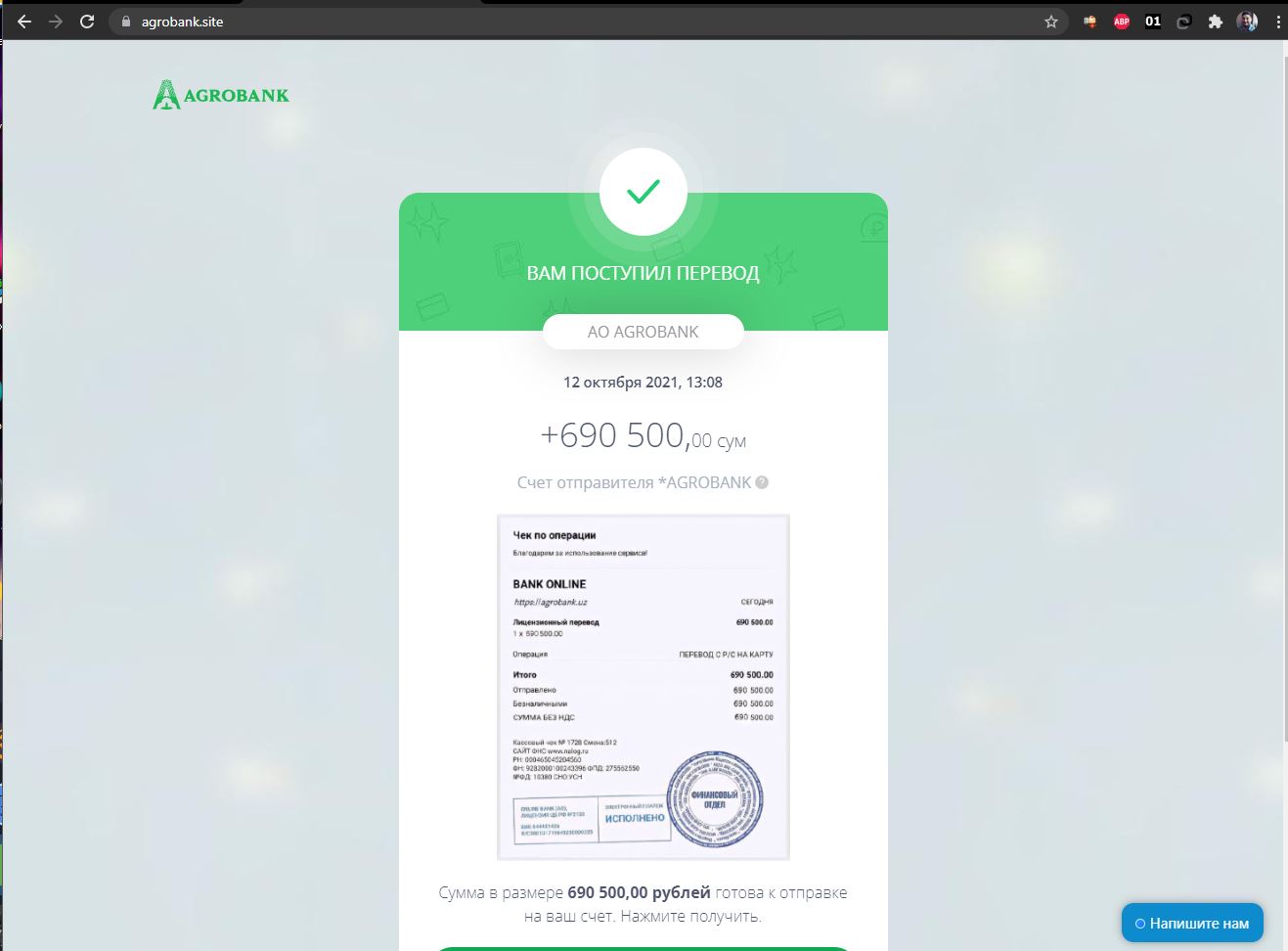
Carefully read your browser’s address bar, as a trusted store or bank website could be a fake. (Something like a1iexpress.com or agrobank.site)
Please read the entire SMS message carefully before entering the code you receive. It’s possible this code will confirm a completely different transaction than you thought…
Don’t perform any transactions with payment instruments at the request of strangers! Under no circumstances may bank employees or anyone else call you and ask you to provide any information or perform any actions in their app. Any questions regarding banking products are best addressed at your bank branch in person. As a last resort, call the bank yourself, as anyone can call you even from your existing bank phone number (incoming numbers are easily spoofed).
Don’t install apps of dubious origin or unclear purpose at the request of third parties. Scammers often force victims to install remote control apps (TeamViewer, AnyDesk, ammyy, etc.). Once they gain access to your device, they’ll do whatever they want.
Existing schemes
Let’s look at some common scams that will try to persuade you to participate in your own robbery.
Scheme #1:
Fraudsters find your phone number on classifieds websites and offer to buy goods with delivery. They then send you a link to a form that you need to fill out, supposedly to receive payment.
As I wrote above, all you need to receive funds is your card number. If someone is eager to send you money, feel free to give them that number and nothing else. If they ask for the information listed in the «red» columns (all but the first, in case anyone is colorblind ;)) in the table above, feel free to say «fuck you!» and block the contact marked as «spam.»
Scheme #2:
Fraudsters send spam (via SMS, email, or instant messaging) with tempting or completely incomprehensible offers that are intended to lure you to their trap page (phishing site).

Such offers may include announcements of competitions with valuable prizes, offers to receive some kind of payment (even supposedly from the government), preferential loans, etc., an offer to buy something at a good price, or to order something rare and exclusive.

In the worst case, such a page might not only passively ask you to enter personal data, but even worse, remove it from your device without asking any questions. This is possible in rare cases when your device is vulnerable to certain types of hacker attacks. In short, the best thing to do is simply avoid opening suspicious links.
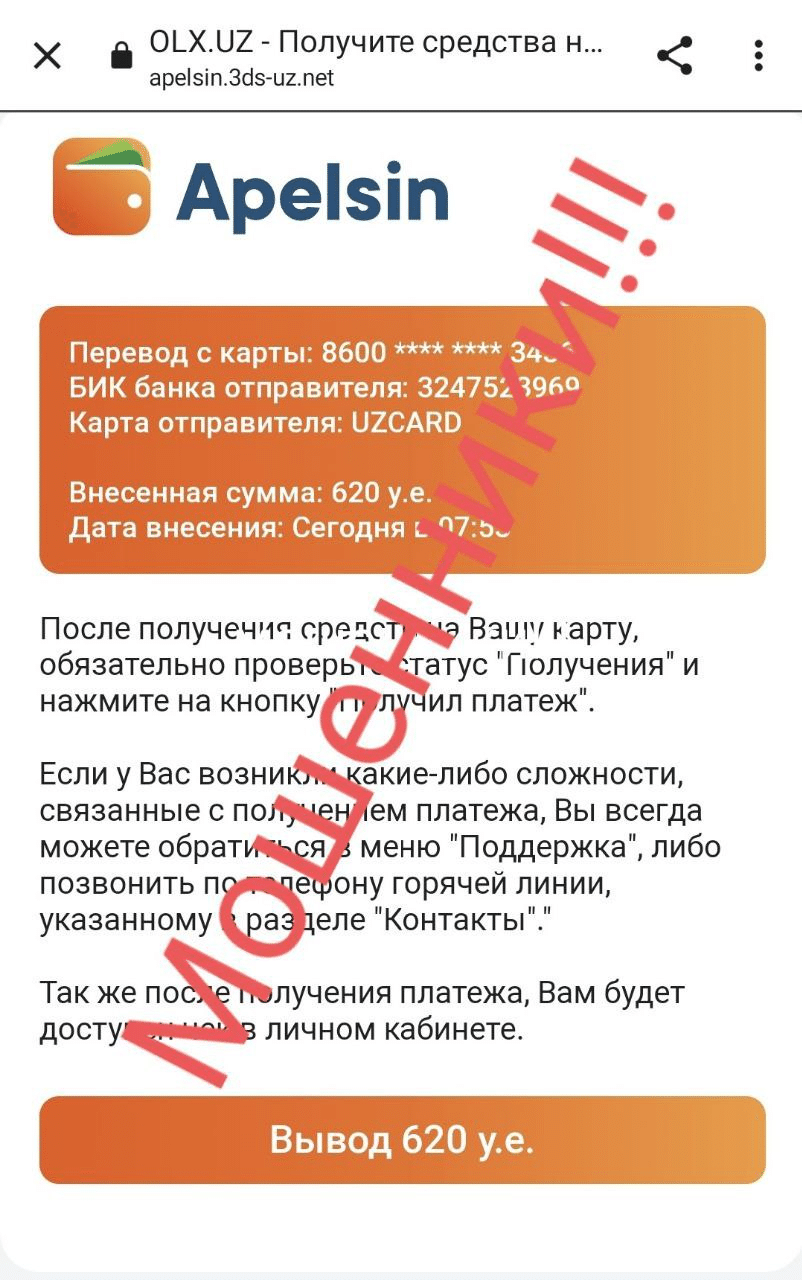
As a specialist, I always check suspicious websites and applications in a so-called «sandbox.» That is, on a virtual device whose hacking can’t harm me in any way, as it doesn’t contain any confidential data. After use, this environment is destroyed, along with any consequences of infection, if any.
Scheme #3:
Real-world methods are still around. They might simply sell you a non-existent product. Be careful, check the reputation of sellers and websites where you make purchases. Even the most savvy person can fall for this scam.
On the other side of the net
Fraudsters who operate under such schemes are often soldiers of an organized «business.»
This «business» has advanced so far that entire systems for working with «clients,» complete with personal account builders, are created for the convenience of the so-called operators. Such a tool allows one to generate a desired page in minutes, without any specialized knowledge. The «operator» of such a system does all the dirty work, luring and cultivating victims, while the creators of the automated pipeline skim off a cut for its use, remaining in the shadows. These guys invest generously in servers, domain names, mailing systems, and so on. They don’t rest on their laurels and constantly change their scam scenarios and methods.
Going on the offensive (for advanced users)
We know how to have fun too. ;) Recently, thanks to our caring comrades, several dozen scam sites and bots have been banned (and in some cases, hacked). If you consider yourself a warrior of light and goodness, you can help!
- If you’ve already realized you’re talking to a real scammer, try playing along. Confound them and stall for as long as you can! You can slip them fake card details, made-up codes from SMS, etc. When the scammer realizes they’ve been scammed, they’ll be very upset at the wasted time. ;)
- You can punish the scammer with money. Of course, it won’t be a significant loss for them, but the widespread nature of such punishments will still hit them a bit hard. How do you do it? It’s very simple!
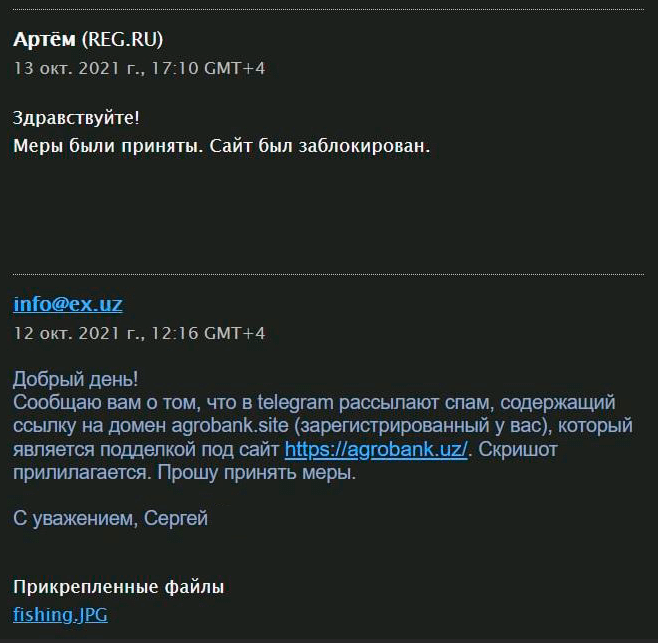
The next time you receive a link to a phishing site from a scammer, run a WHOIS search to find their domain and hosting address. Once you have this information, you can find the hosting provider’s contact information and send them a complaint demanding they block the scammers’ service. Be sure to include proof in the email, such as a screenshot of the phishing page.
3. Well, if you’re a respected white hat, or wear a darker hat, then I don’t need to teach you. ;) Analysis, intrusion, deanonymization — basically, you know what to do.
If you liked this article, please share it. The more people are informed, the less money scammers make!