
If you have an OpenWrt / ImmortalWrt router at home or in the office and have ever wondered if it’s your ISP, the router, or the website that’s down, read on. cgmon is a free, open-source program (GPL-3.0) for your router: a single file of about 1-2.5 MB, 3-5 MB of memory, a web page with the entire network status, and Telegram notifications. It even works on an old TP-Link with 64 MB of memory. It’s installed over standard firmware and, by default, only monitors.
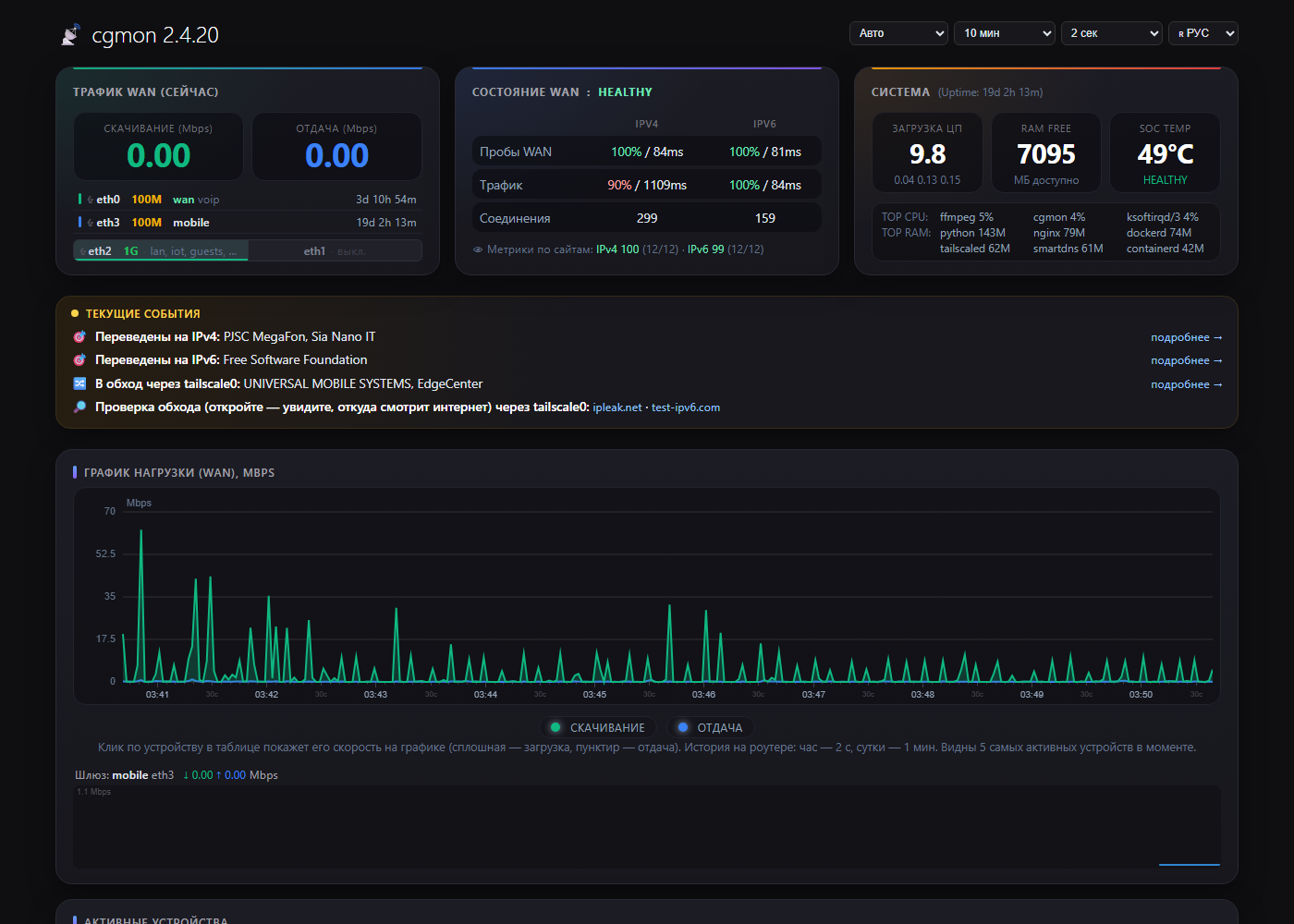
The main thing: cgmon is a dispatcher, not another router
Not a single packet passes through cgmon. Traffic is still forwarded by the Linux kernel—the same route and at the same speed as without cgmon. The program simply monitors and, when necessary, gives the kernel new instructions—its own rules alongside the firmware’s rules:
- nftables — your own tables alongside the firewall: traffic accounting, connection labels, gateway maps. Firewall rules remain unchanged, and the firewall doesn’t reboot;
- Routing —
ip ruleby connection labels, own route tables, change of default gateway; - tc — SQM queue and return shaper speed;
- DNS — only in DNS insurance emergency mode.
Cgmon also monitors using kernel resources: conntrack and nftables counters via netlink, copies of handshakes and DNS responses, port information from sysfs and ethtool. Therefore, even if cgmon stops or crashes, the internet connection won’t be lost: the kernel will continue to operate according to the latest rules.
Possibilities
- Honest WAN status. TCP 443 probes over IPv4 and IPv6 every few seconds. If IPv4 is failing but IPv6 is working, the log will report a problem with the ISP’s CGNAT, not «something’s broken.»
- Down detector and culprit identification. cgmon sees real client connections and notices when a single service is unresponsive while the internet is working. If the entire protocol is faulty, the router traces the path to good and bad sites and identifies the ISP junction through which all the bad routes pass.
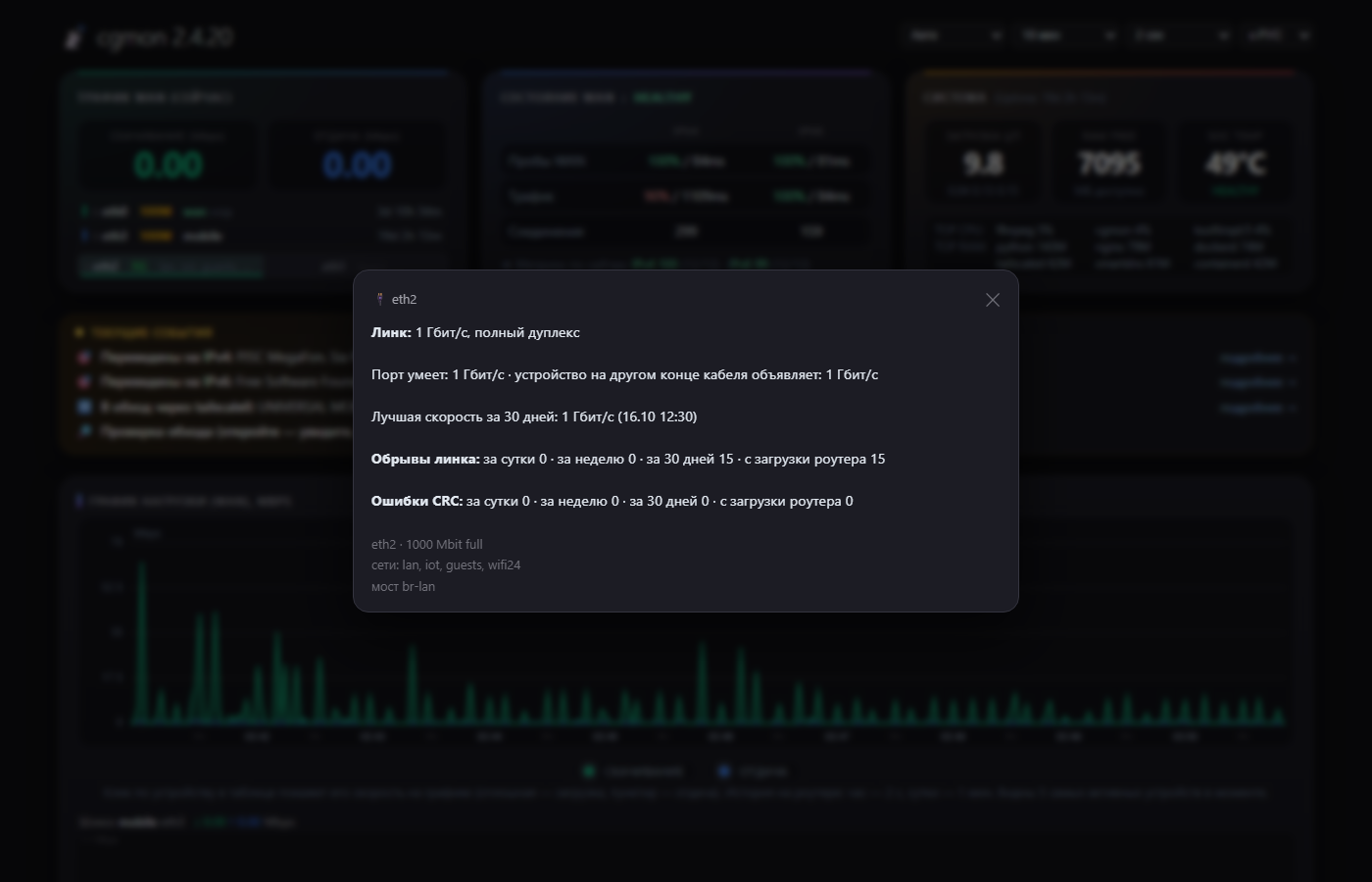
- Ports and cables. Link breaks, CRC errors, «port operating at 100 instead of 1000″—for every port, even for the ports on the built-in switch. A faulty cable can be identified before it fails completely.
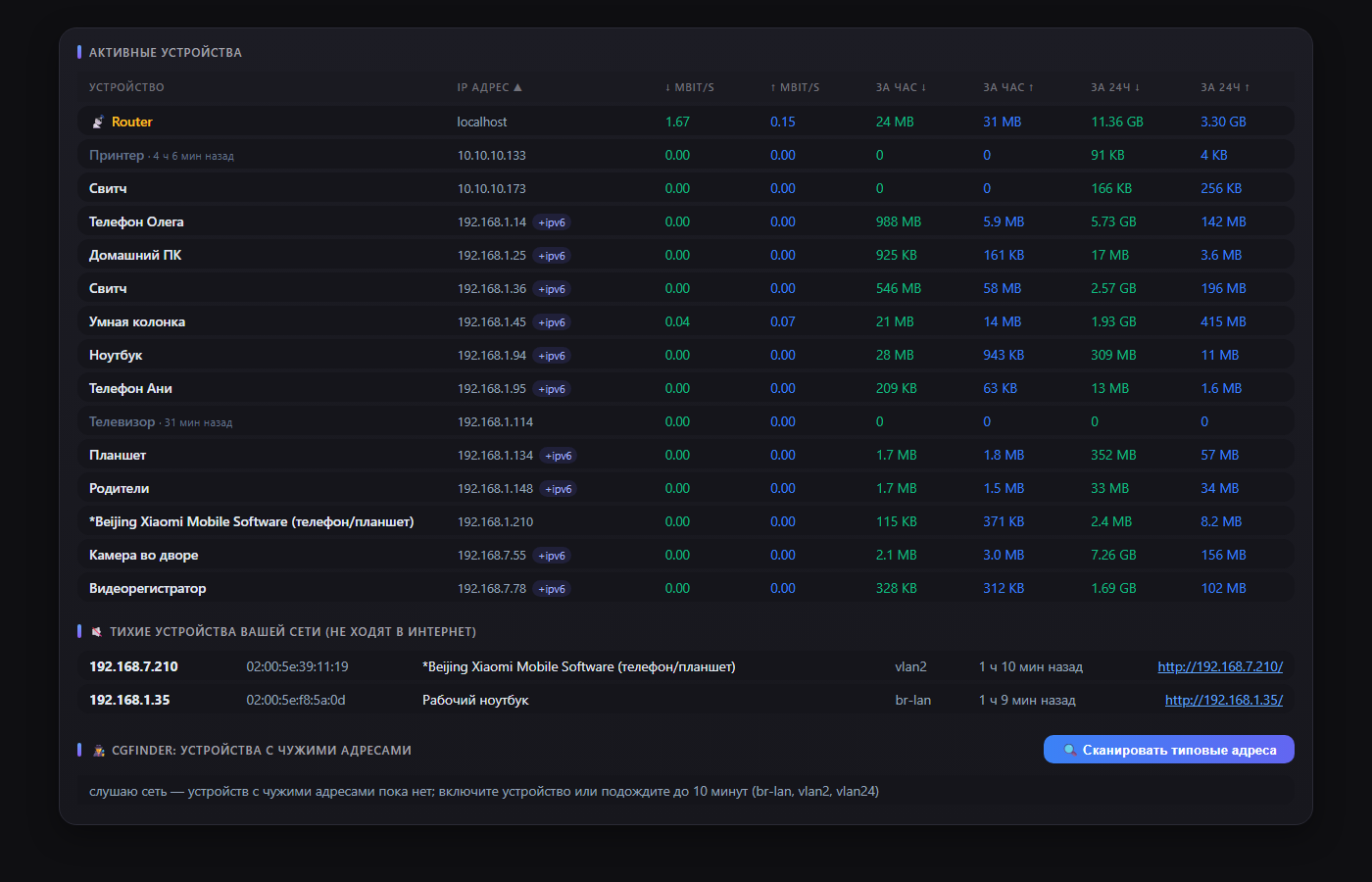
- Devices. Current speed, hourly and daily traffic, DHCP, mDNS, NetBIOS, and UPnP names. The graph is stored on the router itself (daily); hovering over the peak shows who caused it.
- cgfinder. Finds devices with foreign IP addresses: an old camera with a static IP, a switch without DHCP. The «Open Access» button makes them accessible from any computer in the house for an hour.
- Gateway maps. Each network uses its own internet connection: a guest network via a mobile modem, cameras via the main connection, and a TV via a router in another city—in case of a failure, the next one on the list is used. These even work with the standard BusyBox.
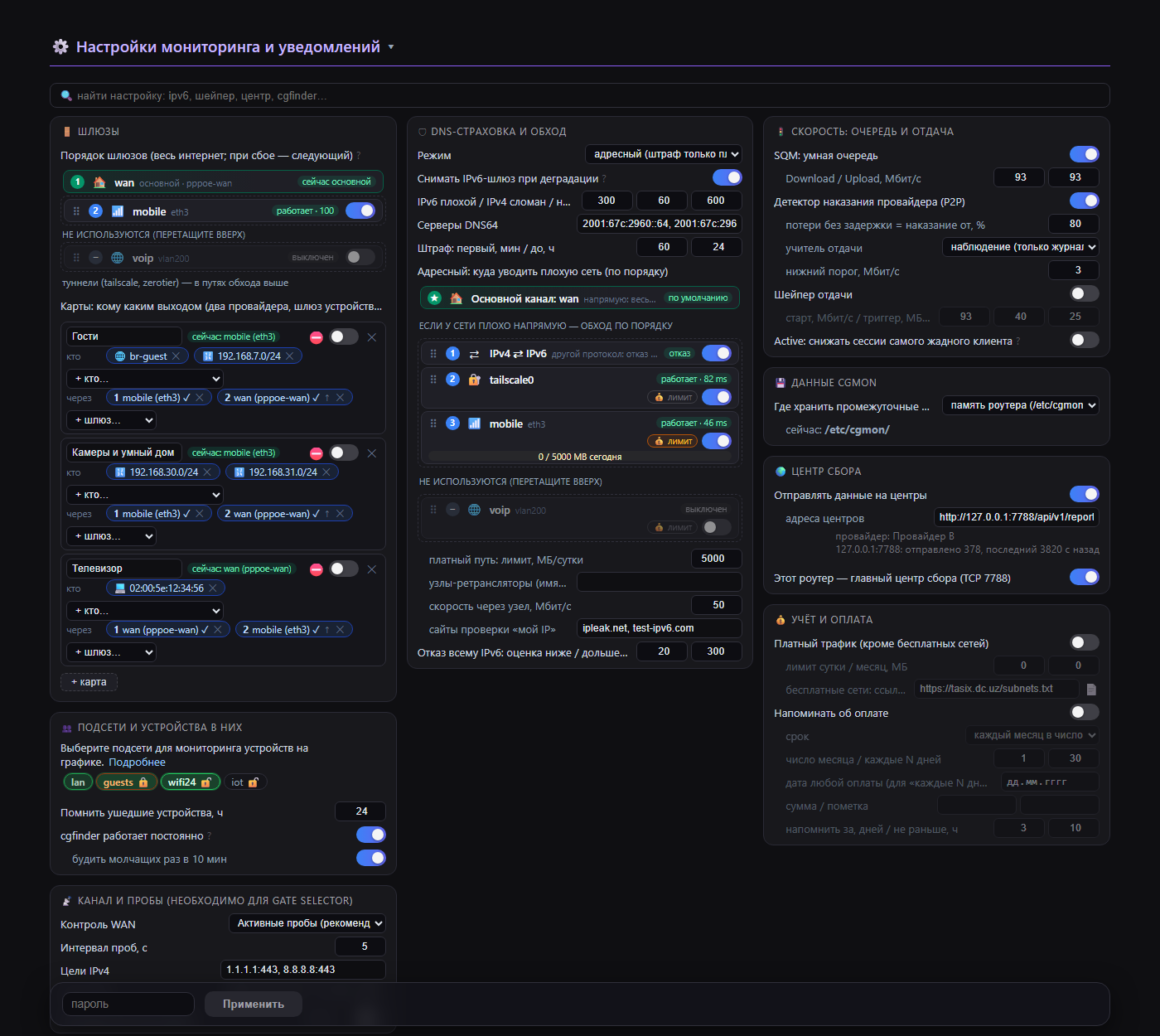
- Backup channel. Gateways are found automatically (PPPoE, DHCP, LTE modem), cgmon switches the primary route to the active one.
- DNS insurance. If one website provider’s IPv6 service is poor, clients immediately switch to IPv4—without any downtime.
- SQM and the upload speed shaper mean your ping doesn’t increase when someone else is downloading; your ISP doesn’t penalize you for slow upload speeds.
- Paid traffic is a counter for everything except free networks, with limits.
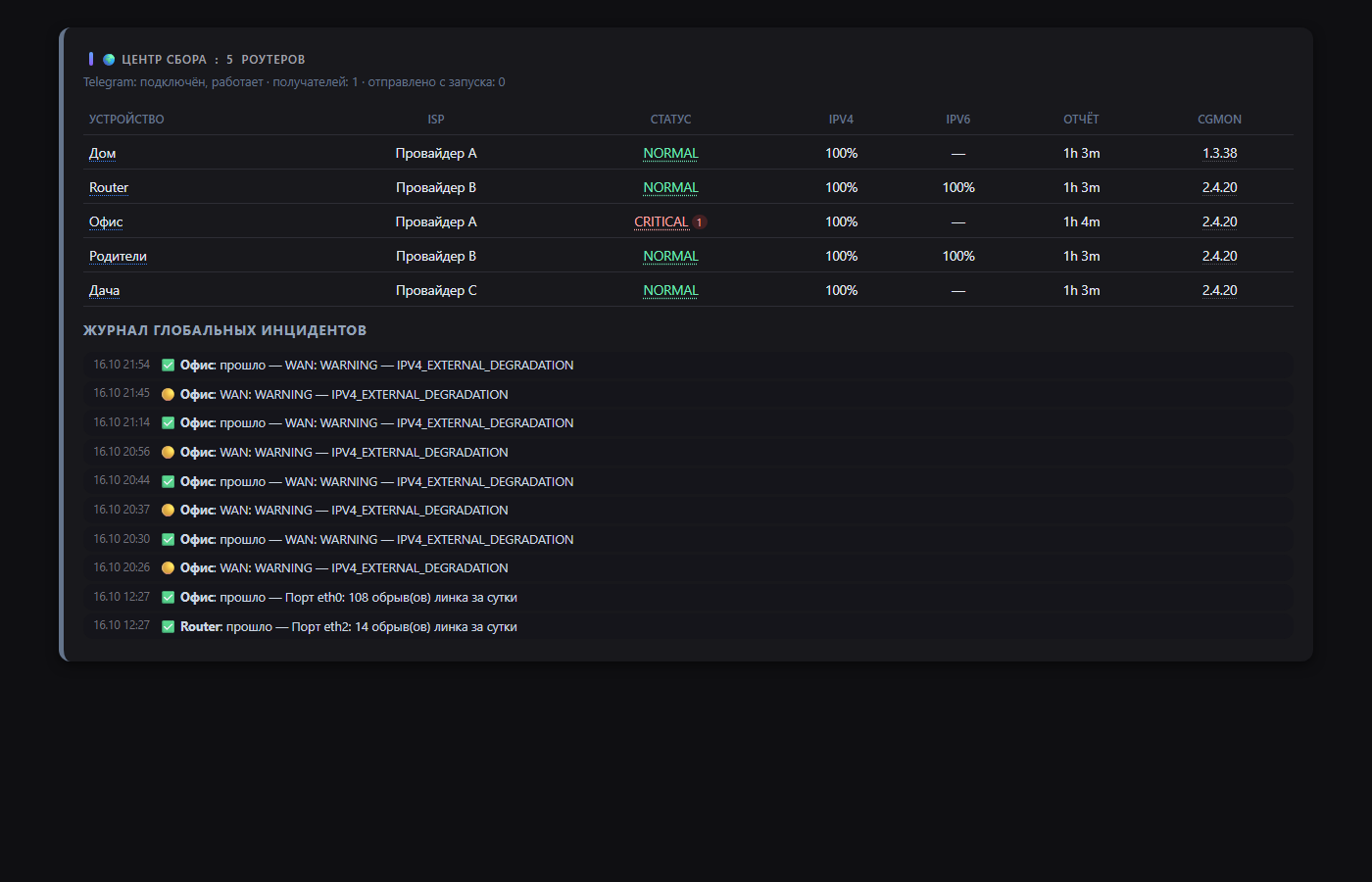
- Collection center. Several routers (home, dacha, parents’) send status reports to a single center. It distinguishes between «my ISP is down» and «everyone’s external link is down» and posts them to Telegram. Reports are encrypted (AES-256-GCM).
Three assemblies
- full — everything, for x86 and powerful ARM.
- lite — everything except SmartDNS (address-based DNS insurance and route bypass).
- nano — for weak routers with a small flash: it works with what’s already in the firmware, and a smart queue can be delivered (about 240 KB).
If a function on the router lacks a package, cgmon does not crash and does not interfere with other functions: the setting is grayed out, and in «Current Events» there is an Install button.
Architectures: x86_64, i686, aarch64, ARMv7, ARMv5, MIPS and MIPSel — from x86 server to TL-WR1043ND and MT7621 routers.
Installation
Package (OpenWrt / ImmortalWrt 25.x):
cd /tmp
wget https://github.com/real4root/cgmon/releases/download/v2.4.21/cgmon-lite-2.4.21-r1-aarch64.apk
apk add --allow-untrusted cgmon-lite-2.4.21-r1-aarch64.apk
On OpenWrt 24.10 and later, the files are .ipk and opkg install. The package won’t install for a different processor, so it’s hard to make a mistake. Your architecture is visible in /etc/openwrt_release (line DISTRIB_ARCH).
The page opens immediately: http://<адрес роутера>/status.html. The password for changing settings is set in LuCI: Services → cgmon . Without a password, the page only displays information.
Safe mode
After installation, cgmon doesn’t block anything, doesn’t shape anything, and doesn’t send data anywhere. Gateway switching, queue, shaper, and collection center are all explicitly enabled.
Links
Source code, documentation, and all builds: https://github.com/real4root/cgmon